Letta Code is one of the heaviest Kimi K3 workloads on OpenRouter's public app rankings, as of mid-October 2026, yet there is no decent guide for running it on a third-party gateway. Here is the whole answer: letta install npm:wallaby-letta-provider, then /reload, /connect wallaby, and pick wallaby/kimi-k3 from the model list. Four steps, about five minutes, and your agent keeps its memory across sessions on a 1M-context model at $2.70 per million input tokens. Disclosure: Wallaby Token sells API access to Kimi K3, and the endpoint this mod connects to is ours.
What you get at the end: a Letta agent that remembers you between sessions, with the model picker showing real context size and prices, and every request itemized on your console bill. The setup below took us one clean pass.
What you need
- A Wallaby Token account (sign up here, the $0.50 trial credit needs no card) and an API key
- Letta Code installed with
npm install -g @letta-ai/letta-code. We verified on 0.34.16; on macOS with the system npm prefix, the global install needssudo. - Five minutes
Setting this up for a team? One account is enough — see the For teams section at the end.
Why a mod, not a manual endpoint
Letta Code can register any OpenAI-compatible endpoint by hand. What you give up is the metadata: a manually added provider carries no context-window size and no per-token prices, so the model picker and cost display have nothing to show. A provider mod registers the provider with its full catalog. Ours ships the catalog statically, so kimi-k3 resolves the moment the mod loads, with no discovery round-trip.
wallaby-letta-provider is the first Kimi gateway provider in the Letta mod catalog. It is provider-only: no tools, no filesystem, no subprocess access, and network access limited to the gateway endpoint.
Step 1: Install the mod
letta install npm:wallaby-letta-provider

You can also ask the agent to do it: "Install the Wallaby provider mod from npm:wallaby-letta-provider."
Step 2: Reload and connect
/reload
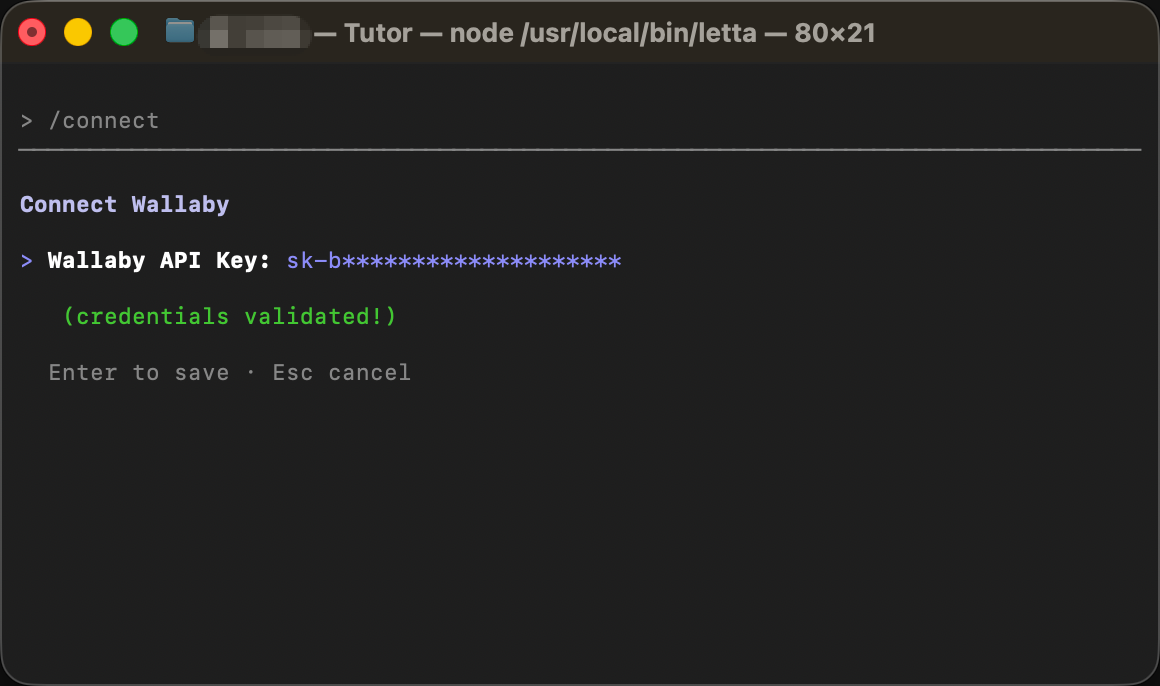
/connect wallaby
/reload picks up the new mod. /connect wallaby prompts for your API key and stores it locally. If you prefer environment variables, export WALLABY_API_KEY="sk-your-key" works too; the mod reads it either way.
Step 3: Pick the model
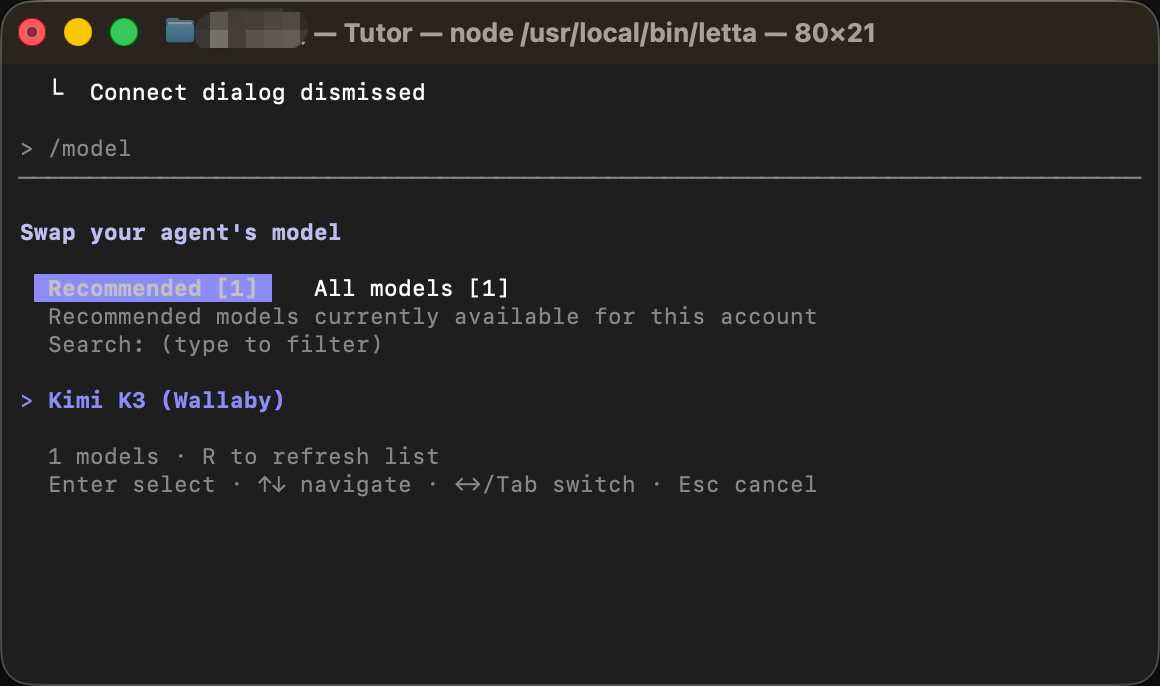
/model
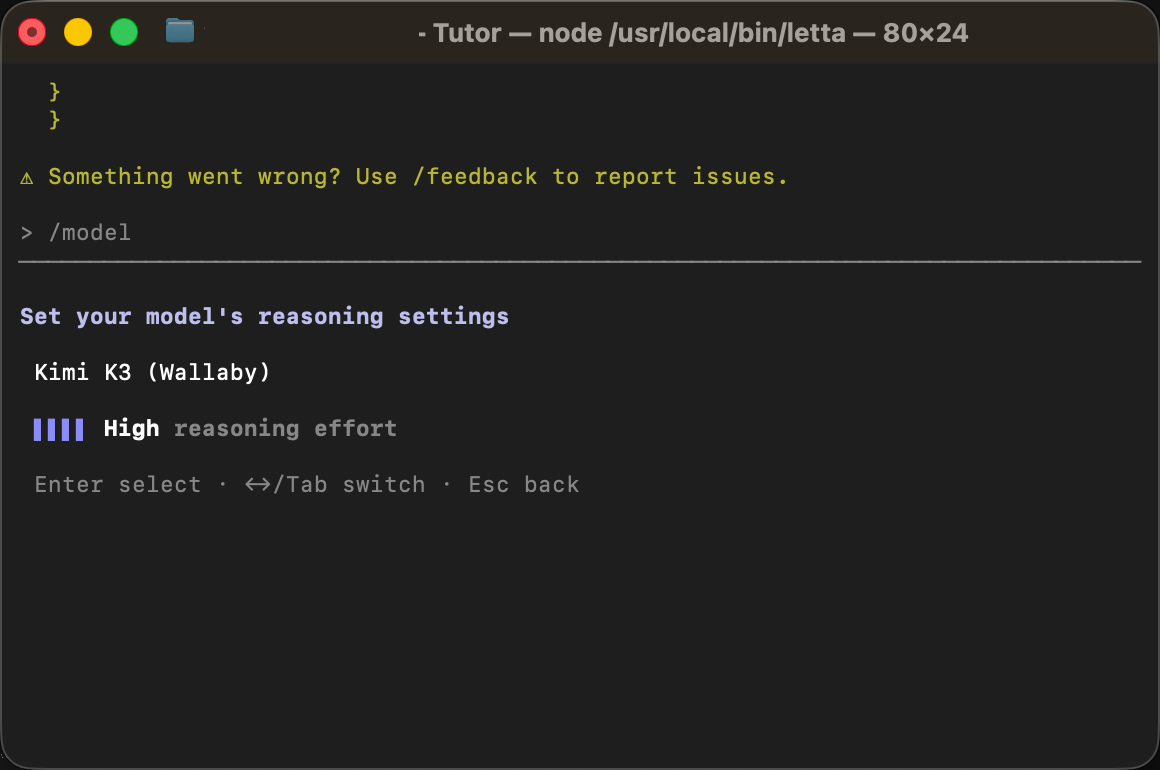
Select wallaby/kimi-k3, listed as "Kimi K3 (Wallaby)". This is the frame that makes the mod worth it: a named, first-class entry instead of an anonymous endpoint, carrying the 1M context window and the real price card, $2.70 input, $13.50 output, $0.27 cached input per million tokens, that drive Letta's context meter and cost display.
Verify: one real turn, one tool call
Give the agent a task that forces a tool call, so you see the full loop:
Create a file called hello.txt with today's date in it, then read it back to me.
The agent writes the file, reads it, and answers. Tool calls come back as standard tool_calls, and streaming responses carry real token counts, so Letta's context meter stays accurate for Kimi's tokenizer.
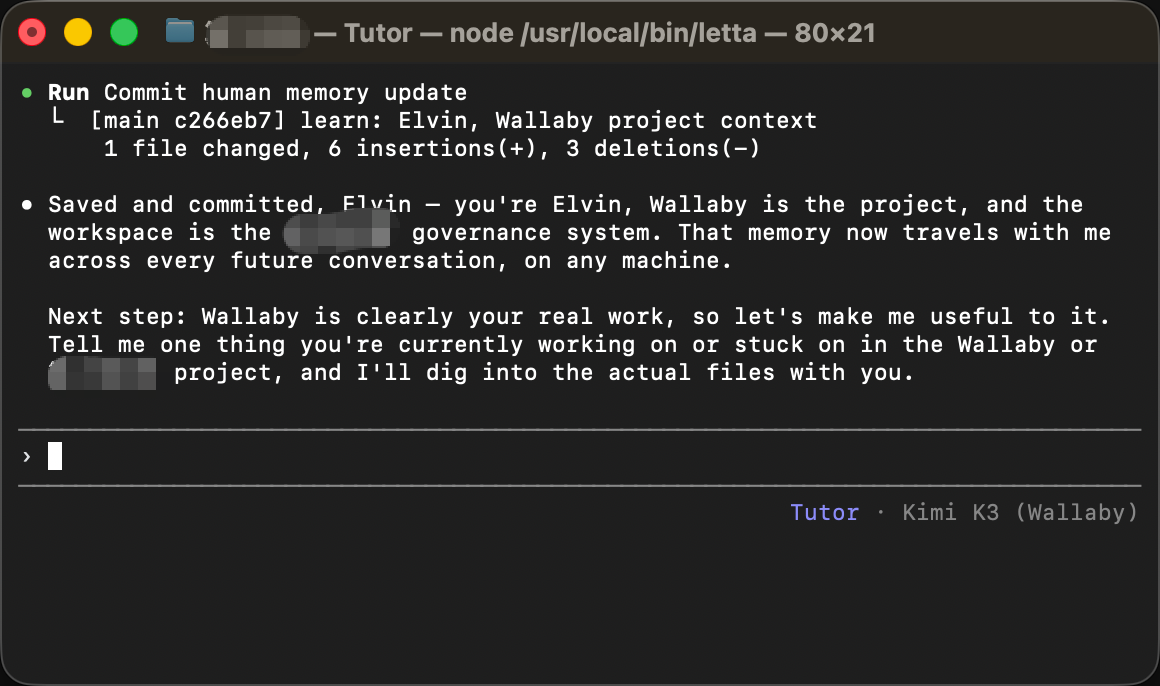
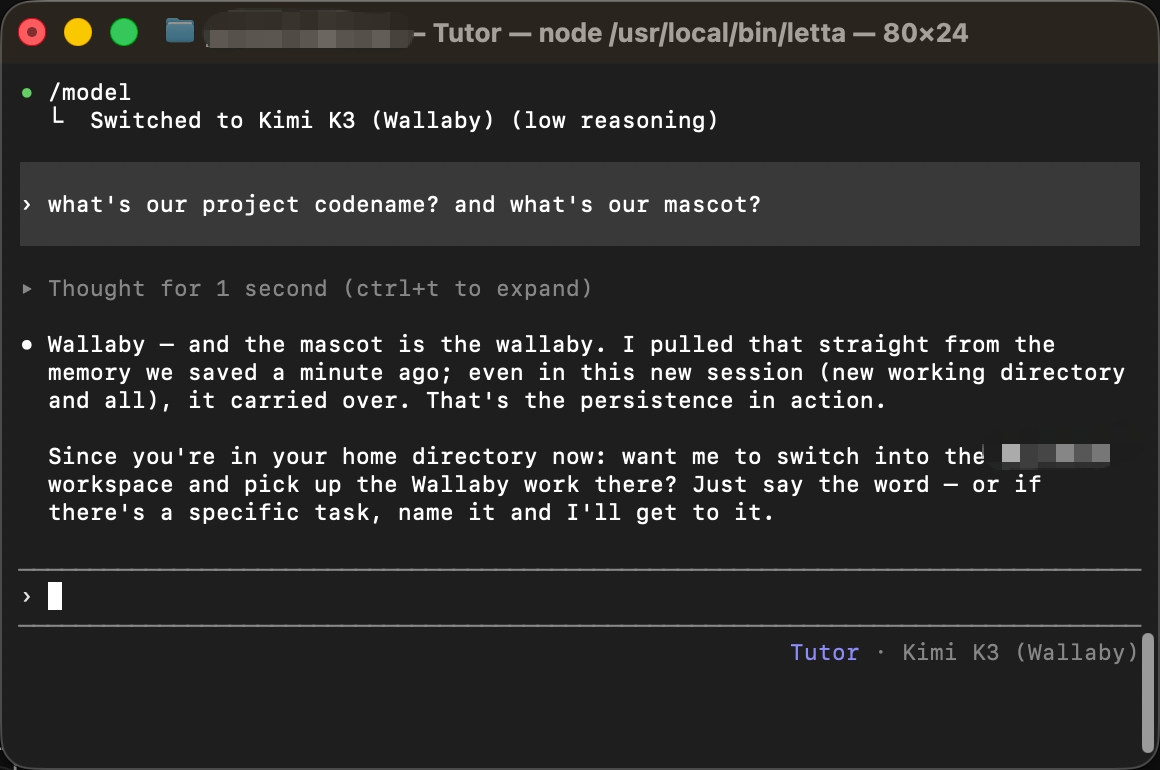
Then the part Letta is actually for. Tell the agent a fact: a project name, a convention, a deadline. Each memory update lands as a git commit in the agent's memory repo: ours reads learn: Elvin, Wallaby project context. Start a new session and ask about it. It answers from its memory blocks.
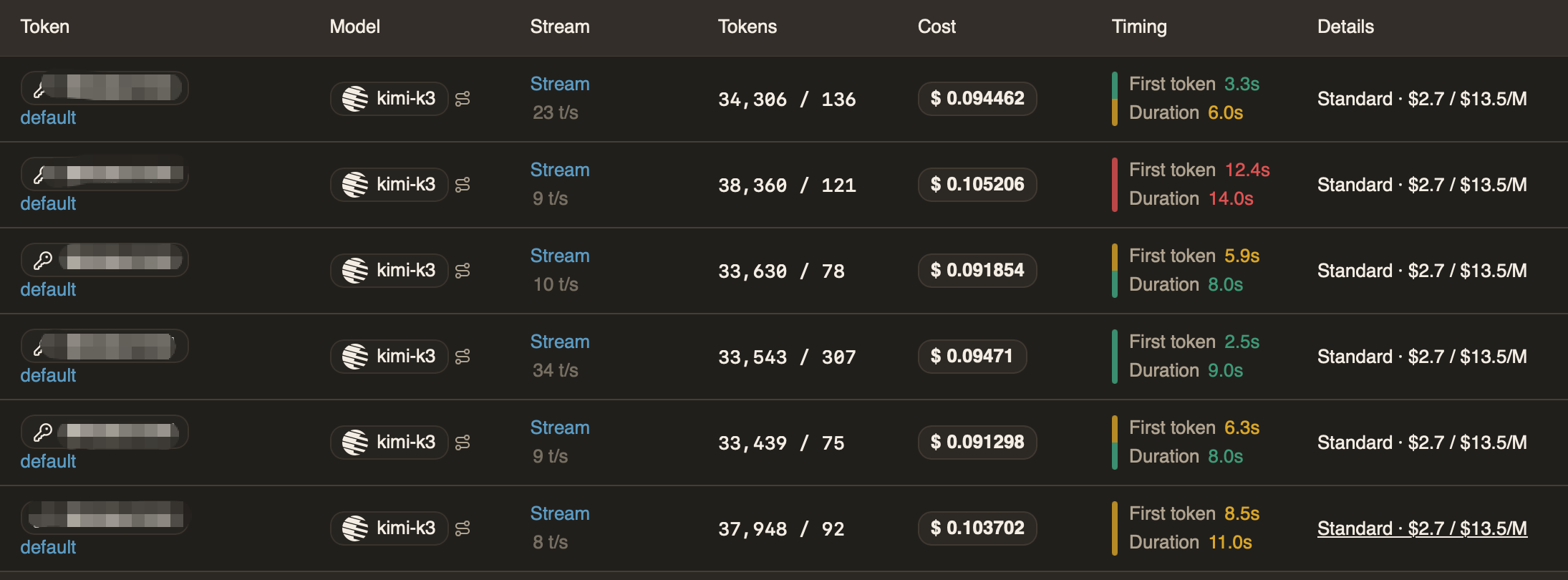
Last check, on our side: open the console's Usage Logs and find the same requests, with model, token counts, and cost itemized per call.
What the memory costs
Persistent memory is not free. Letta replays an agent's memory blocks on every turn, which makes stateful agents input-token heavy. In our verification session each turn carried 33,000 to 38,000 input tokens against only a hundred or so output tokens, about nine cents per turn at list price. That replay is exactly where the cached-input rate does the work: repeated prefixes hit $0.27 per million instead of $2.70; we wrote up when caching pays and when it does not separately.
Per 1M tokens, as of October 2026, and current rates are always on the pricing page:
| Wallaby | Official list | |
|---|---|---|
| Input | $2.70 | $3.00 |
| Cached input | $0.27 | $0.30 |
| Output | $13.50 | $15.00 |
Standing rate, 10% off the official list, no promo window. Budget roughly ten cents per agent turn while you experiment; the first few verification turns fit inside the $0.50 trial credit. If you are comparing hosted memory services on price rather than running your own agent, we keep a side-by-side of Mem0, Supermemory, Zep and Letta updated.
Running Letta Cloud agents instead
The mod covers local Letta Code. For cloud-hosted agents, use Letta's own BYOK path: /connect a custom OpenAI-compatible provider with base URL https://api.wallabytoken.com/v1 and your key. Same gateway, same bill: the mod manages local, BYOK covers cloud. If you are still picking a route, we mapped six ways to reach Kimi K3 with the trade-offs of each.
For teams
One Wallaby account covers the whole team: mint a named key per developer, and set a separate dollar cap on each key so a runaway agent loop hits its own ceiling, not the team's. On privacy: we never log or store your prompts or completions, never train on your data, and never publish usage reports about customers. Above $500 a month, write to [email protected] for volume pricing.
FAQ
Does Kimi K3's reasoning effort work through the mod?
Yes. Letta's reasoning-effort setting passes through, and the billed reasoning_tokens in usage respond to the level you pick; we verified this against the live gateway with a real key before shipping the mod. After picking the model, the TUI offers a reasoning-effort selector for it directly.
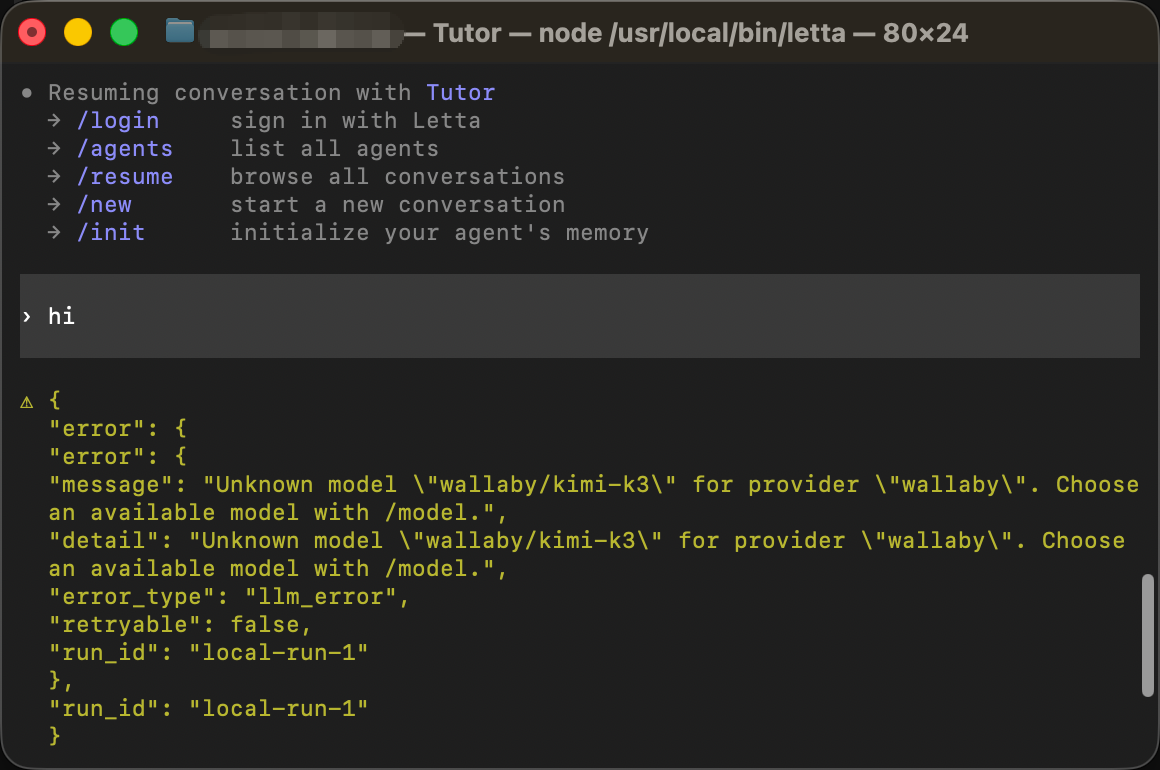
The first message of a new session fails with Unknown model "wallaby/kimi-k3". What now?
You are on mod 0.1.0. Update to the current version and relaunch, and the first message works directly:
letta mods update npm:wallaby-letta-provider
/model doesn't show wallaby — what now?
Run /reload to re-register mods. The mod's catalog is static, so the kimi-k3 entry should never vanish; a 401 on a request means the key is missing or invalid. Run /connect wallaby again.
Is this a replacement for Letta Cloud credits? No — it is one more option. Cloud credits bundle hosting and models; the mod is for when you want to pick your own model supplier and pay per token. Plenty of teams will use both.
What you built, and where to go next
A Letta Code setup where wallaby/kimi-k3 is a first-class model: installed from the catalog, priced in the picker, metered per request, remembering across sessions. Three directions from here:
- Deeper: when the $0.27 cached rate pays off — the number that decides what long-running memory agents really cost
- Sideways: six access routes for Kimi K3 compared, if Letta is not your only agent
- Do it: register, mint a key, and run the four steps — the $0.50 trial covers the whole guide with room to spare
Every request lands on your invoice as an itemized line with token counts — no content logs, no training on your data, no usage reports built from your traffic. We host open-weight models only, keep a public status page, and run our own work through the same gateway we sell.