Most coding-agent TUIs treat cost as an afterthought. Crush, Charm's terminal agent with 28k stars, does something better: its config lets you register per-token prices alongside the model, so the interface can show what a session actually cost while you work. That feature is the reason we like pairing it with Wallaby, where cached input is a separate, cheaper rate. Disclosure: Wallaby Token sells API access to Kimi K3, and the endpoint used here is ours.
Setup is one crushrc file. No plugin, no fork.
What you need
- A Wallaby Token account (sign up here; the $0.50 trial credit needs no card) and a key from the console
- macOS, Linux, or Windows
- Five minutes
Step 1: Install crush
brew install charmbracelet/tap/crush
# or: npm install -g @charmland/crush
crush --version # v0.98.1 at the time of writing
Step 2: Write the crushrc
Crush reads a crushrc from your project root, or from ~/.config/crush/ if you want it everywhere. A crushrc is bash with a few built-in commands:
provider add wallaby --type openai-compat \
  --base-url "https://api.wallabytoken.com/v1" \
  --api-key "$WALLABY_API_KEY"

model add wallaby/kimi-k3 \
  --name "Kimi K3" \
  --context-window 262144 \
  --default-max-tokens 8192 \
  --price-input 2.70 \
  --price-output 13.50 \
  --price-cache-hit 0.27
Two details worth getting right:
--type openai-compat, notopenai. Crush's own docs draw the line:openaiis for proxying OpenAI itself;openai-compatis for non-OpenAI providers with a compatible API. Wallaby is the second kind. Note the base URL keeps its/v1here; crush does not double it.- The three price fields are optional but are the point. With them set, crush's cost display reflects the real bill, including the $0.27 cached rate that agent loops hit constantly.
Step 3: Run it
crush run -m wallaby/kimi-k3 "Write a Python function that checks whether a string is a palindrome"
Verification run, terminal output unedited:
$ crush run -q -m wallaby/kimi-k3 "Reply with exactly: Wallaby K3 via crush OK, ..."
Wallaby K3 via crush OK. Standing by for your next task.
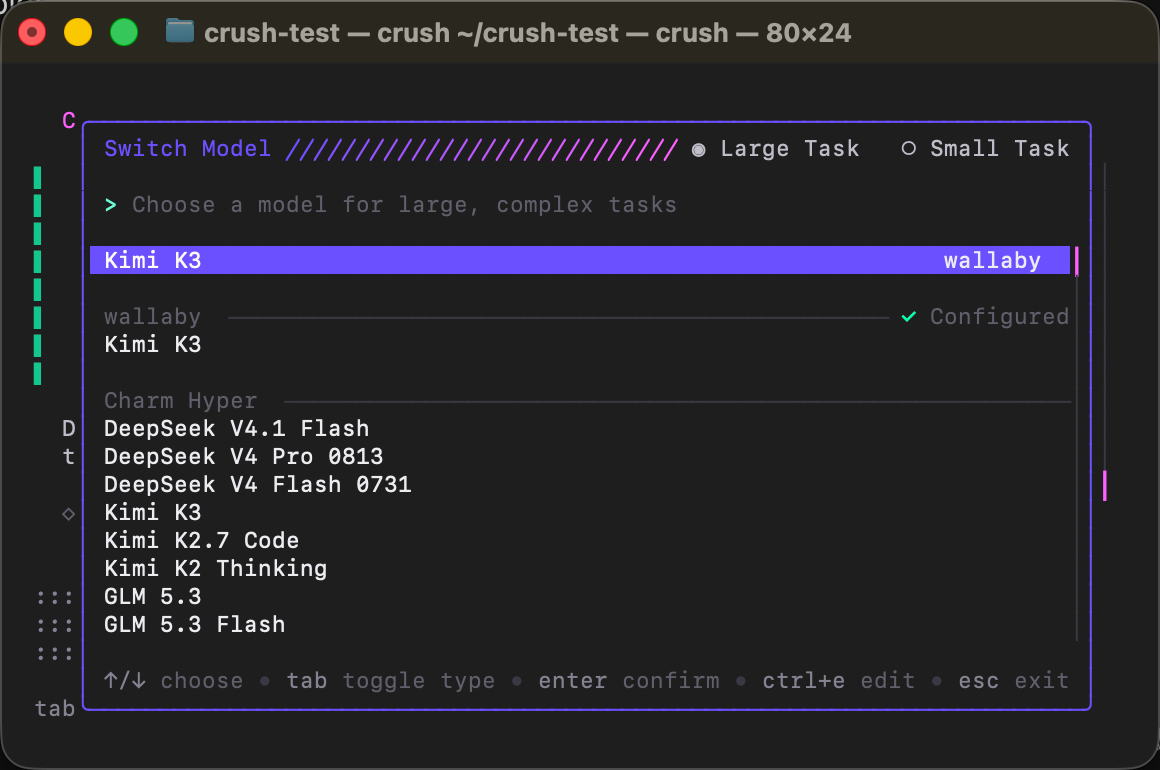
For the interactive TUI, run crush in a project and pick wallaby/kimi-k3 from the model list (ctrl+l):
Verify on the billing side
Crush's own cost display is leg one: open the sidebar with ctrl+b (it opens by itself on wide windows) and the session block shows the running total — context use, tokens, dollars.
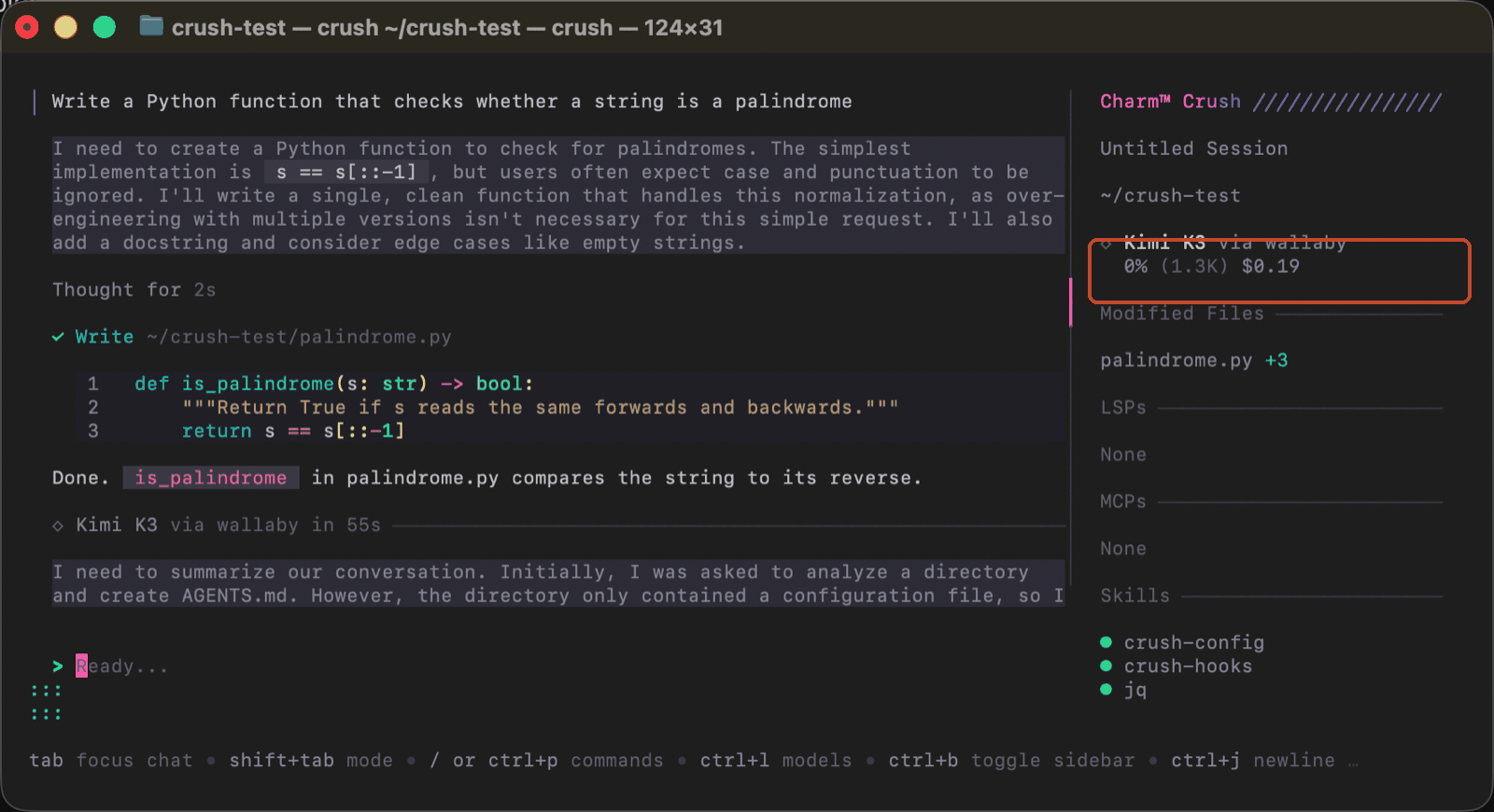
Leg two is independent: open your console's Usage Logs and find the same request: model, token counts, cost, itemized per request. Our smoke prompt cost under two cents, and the two views agree.
Pricing
Per 1M tokens, as of October 2026 (current rates always on the pricing page):
| Wallaby | Official list | |
|---|---|---|
| Input | $2.70 | $3.00 |
| Cached input | $0.27 | $0.30 |
| Output | $13.50 | $15.00 |
Run this whole guide on the $0.50 trial credit; the smoke prompt above cost under two cents.
FAQ
Does crush support custom providers?
Yes, both OpenAI-compatible and Anthropic-compatible APIs, via provider add in a crushrc.
Where does crush's built-in model list come from?
A community catalog called Catwalk. We have a PR in review (#614) that adds Wallaby to it — once merged, crush will know this endpoint with no crushrc at all. Until then, the block above is the way.
Aren't the other models in the list free?
They are Charm Hyper's catalog — Hyper has a free tier (100 credits a month, about $5 as of October 2026) behind a Charm account, then subscriptions or prepaid bundles. The crushrc block above is the different animal: your own key, pay per request, and crush shows you what each session cost.
openai vs openai-compat — which one?
openai-compat. The openai type assumes OpenAI's own API behaviors; compat is for everyone else.
Get started
Sign up at wallabytoken.com, mint a key, paste the crushrc block. You'll get Kimi K3 in one of the best-looking terminal agents around — with the price of every session visible while you work, not as a surprise at the end of the month.
Every request lands on your invoice as an itemized line with token counts — no content logs, no training on your data, no usage reports built from your traffic. We host open-weight models only, keep a public status page, and run our own work through the same gateway we sell.