Hermes Agent is an open-source CLI agent from Nous Research with tool-calling built in. It supports custom OpenAI-compatible endpoints, which means it can run the kimi-k3 reasoning model from Moonshot AI through any compatible gateway. This guide covers the exact configuration, verified end-to-end on 2026-09-10 against Hermes Agent v0.19.0: chat works, and — the part that actually matters for an agent — tool use works. Disclosure: Wallaby Token sells API access to kimi-k3, and the endpoint below is ours.
Updated for Hermes v0.22 (October 15, 2026): re-verified end to end on v0.22.1: the YAML path below is unchanged and still works, and there's now a cleaner plugin route that puts Wallaby directly in Hermes' provider list. See the next section, plus the v0.22 install and migration notes further down.
Update, 2026-10-15: there's a plugin now
When this guide was written, running Wallaby in Hermes meant four lines of YAML. That still works; the block below is unchanged. But there's a cleaner route now: we published a small model-provider plugin that puts Wallaby directly in Hermes' provider list.
hermes plugins install Dawncoral/wallaby-hermes-plugin
hermes model
Answer y when the installer asks to enable the plugin. In the wizard, pick Wallaby Token from the provider list, paste your API key, and press Enter once more to accept the default base URL. Pick kimi-k3, confirm, and choose a reasoning effort when prompted; medium is a fine default. The key lands in your OS keychain, not in a config file.
One thing to expect: the installer prints a yellow "custom (unreviewed) source" warning, because the plugin isn't in Hermes' official plugin catalog. The warning is about provenance, not about the code. The plugin is two files, registers a provider profile, and makes no network calls of its own. We verified this route on 2026-10-15, both by installing from GitHub and by copying the plugin folder in by hand; the -z check below answered "I'm Kimi, running as the kimi-k3 model."
The YAML path remains the fallback. If you'd rather see exactly what's configured, or you're scripting an install, the four lines below are still the whole truth.
What you need
- A Wallaby Token API key (create an account at wallabytoken.com; new accounts receive $0.50 in free credit)
- Hermes Agent installed. We tested the pip route in a virtual environment:
python3 -m venv ~/.hermes-venv
~/.hermes-venv/bin/pip install hermes-agent
Setup
Hermes persists its model configuration in ~/.hermes/config.yaml. Add four lines:
model:
  default: kimi-k3
  provider: custom
  base_url: https://api.wallabytoken.com/v1
  api_key: sk-your-wallaby-key
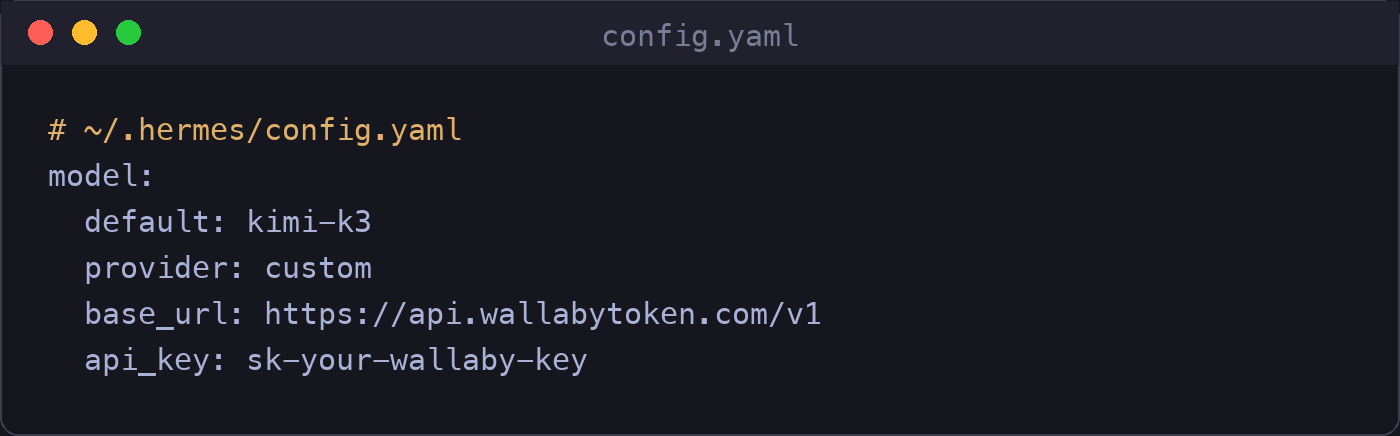
Note the /v1 suffix on the base URL — it is required here. If you prefer a wizard, hermes model walks you through the same values interactively (choose a custom endpoint, then enter the base URL, API key, and model name) and writes the same file. Both paths converge on the block above; we verified the YAML path directly. All the tools we have verified on this endpoint are collected in one table: the Kimi K3 CLI setup hub.
Verify the configuration
Run a one-shot prompt:
hermes -z "What model are you? Reply in one short sentence."
A working setup answers immediately and identifies itself correctly. Our run:

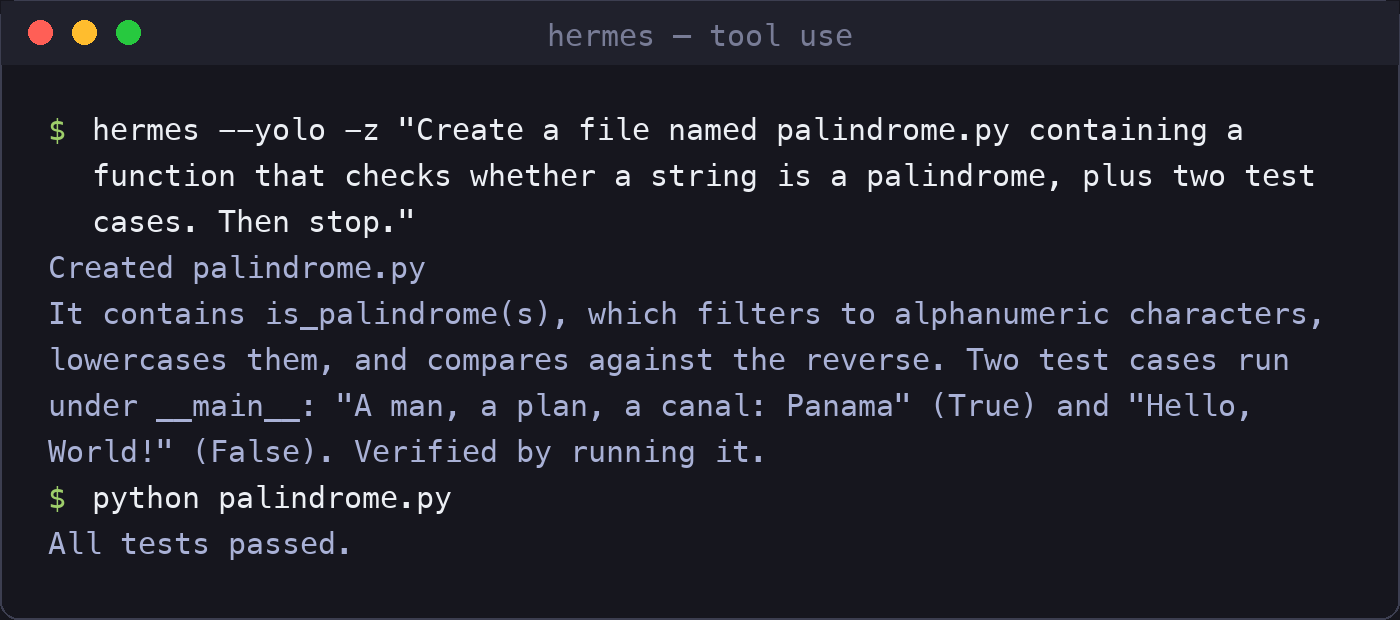
Then verify tool use — a chat reply alone does not prove an agent will work, because many "compatible" endpoints handle plain chat but break on tool calls. From a scratch directory:
hermes --yolo -z "Create a file named palindrome.py containing a function that checks whether a string is a palindrome, plus two test cases. Then stop."
--yolo auto-approves every tool action, so only use it in a directory where anything the agent writes is disposable. For real work, use hermes chat and approve actions one by one. Our run created the file, executed it, and reported the result; we re-ran the generated file ourselves afterwards and the tests passed:
Hermes v0.22 install and migration notes
Hermes v0.22 (the "Threshold Release", shipped 2026-10-13) changed the install surface. We installed v0.22.1 fresh on 2026-10-15 and re-ran this entire guide against it. What you should know:
- The official installer is now the recommended route. It sets up Hermes as a git checkout with a managed Python (3.14 in our run) and publishes the
hermescommand to~/.local/bin. The pip-in-a-venv route above still works for pinning a version, buthermes updatewill not rescue a non-git install. Our older tarball install was rejected with "Not a git repository". If you're on a pip or tarball install and want v0.22's update channel, reinstall with the official installer. - Your config migrates itself. On first launch our
config.yamlwas auto-migrated from schema v0 to v51, and the custom provider block (provider, base URL, API key) survived byte-for-byte. (We still kept a backup copy first, and so should you.) - The skills install chain is unaffected. v0.22 removed
hermes sync, buthermes skills install <repo>, the mechanism our memory-rules skill uses, works as before. - One new environment gotcha: a bracketed IPv6 entry like
[::1]in yourNO_PROXYvariable (common on macOS with some proxy tools) crashes Hermes' HTTP layer withInvalidURL: Invalid port: ':1]'. Remove the bracketed entry and it starts clean. We wrote up the full encounter in the reasoning-replay test post. - Built-in memory still lands on disk. Telling Hermes to remember something writes to
~/.hermes/memories/USER.md(with a lock file alongside), unchanged from earlier versions, and independent of the six memory providers v0.22 moved out to its plugin directory.
What a Hermes session costs
One thing to know before you budget: Hermes prepends a substantial system prompt — roughly 10,500 input tokens — to every turn. At our current rate that is about $0.028 of input per turn before the model says a word, and agent loops multiply it (our single-file tool-use test above made three model calls). Running both verification steps in this guide cost us $0.068 in total. This is normal for full-featured agents, but it makes per-request, itemized billing worth having: every one of those calls appeared on our dashboard with its token counts within seconds. For the budgeting frame we use, see cost per accepted output; the rate card itself is in Kimi K3 API pricing, and what quietly leaks from an agent bill between pauses is in the pause tax.
Pricing
All prices are per 1M tokens.
| Wallaby | Official list | |
|---|---|---|
| Input | $2.70 | $3.00 |
| Cached input | $0.27 | $0.30 |
| Output | $13.50 | $15.00 |
Our rate is a flat 10% below the official list price, every day. The $0.50 trial credit covers approximately 185,000 input tokens at that rate — enough to complete both verification steps above several times over, bearing in mind the system-prompt overhead described above. The minimum top-up is $20.
What we do differently
Three decisions distinguish Wallaby Token from other API platforms. First, billing is transparent and itemized per request, so every charge can be reconciled against actual usage — the cost figures in this article came from our own logs. Second, we serve open-weight models only; we do not carry closed proprietary models. Third, we do not chase short-lived model hype cycles — we add models when they demonstrate durable value, not when they trend.
Get started
Create an account at wallabytoken.com, receive $0.50 in free trial credit, and generate an API key. Four lines of YAML later, Hermes runs on kimi-k3.
Running Hermes for more than one session? We tested how its built-in memory loop sits next to a file-based memory discipline, with receipts: two kinds of agent memory.