TL;DR: as of September 2026, you cannot use Kimi K3 in Cursor with a third-party API endpoint. Not because of anything you did wrong — Cursor blocks it in two independent places. We ran the full setup on a fresh free account (macOS, current Cursor build) and documented every step, including the exact error messages, so you can verify our findings yourself in five minutes instead of burning an afternoon.
Disclosure: Wallaby Token sells pay-per-use API access to Kimi K3, and the endpoint we tested with is operated by us. That gave us every incentive to make this work — and we still can't recommend it.
The setup part genuinely works
Cursor does expose the classic OpenAI-compatible configuration surface. Open Settings → Models, scroll to the API Keys section, and everything you expect is there:
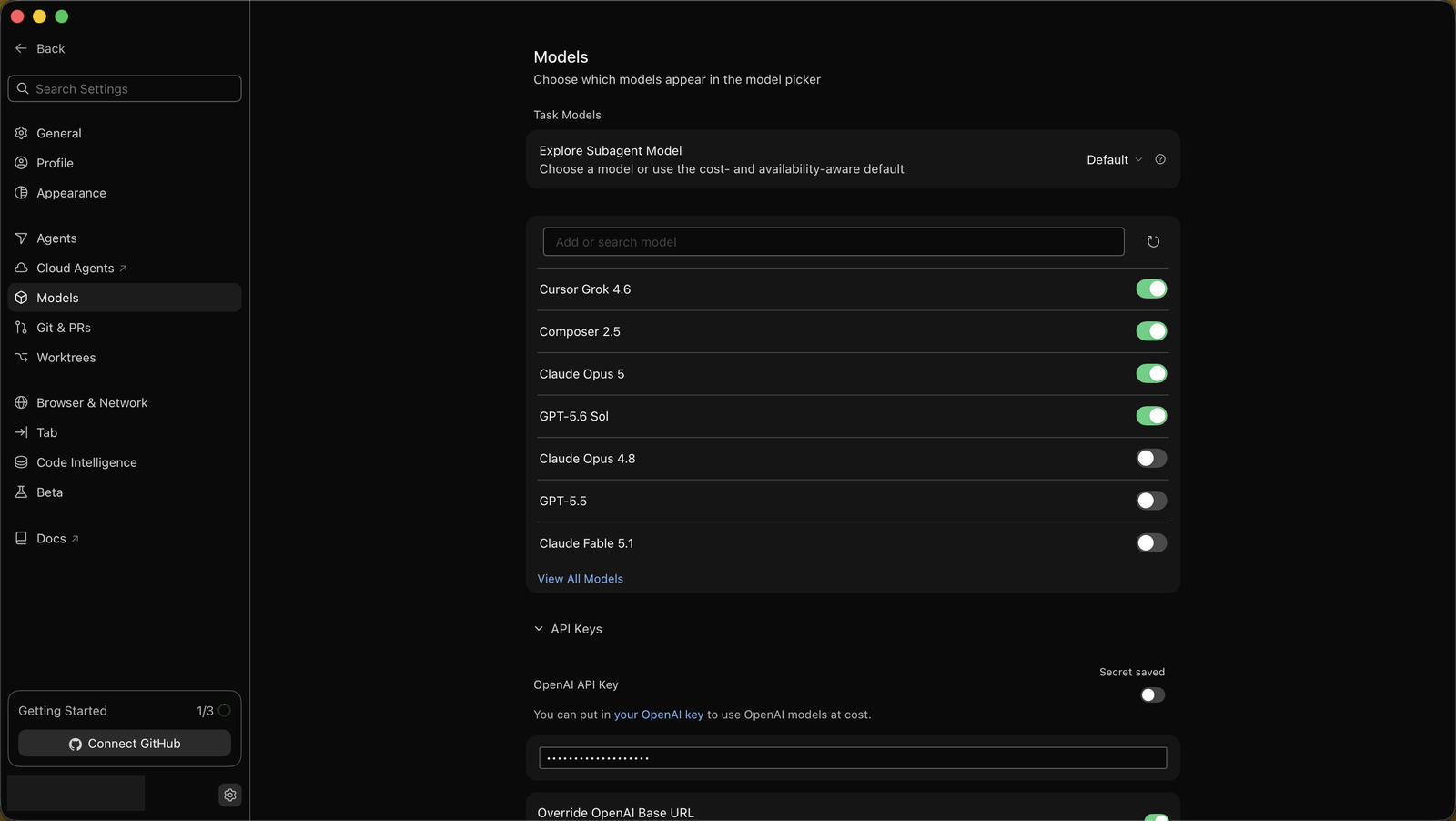
- Paste your API key into the OpenAI API Key field — Cursor stores it and shows "Secret saved".
- Enable Override OpenAI Base URL.
- Enter your endpoint, e.g.
https://api.wallabytoken.com/v1.
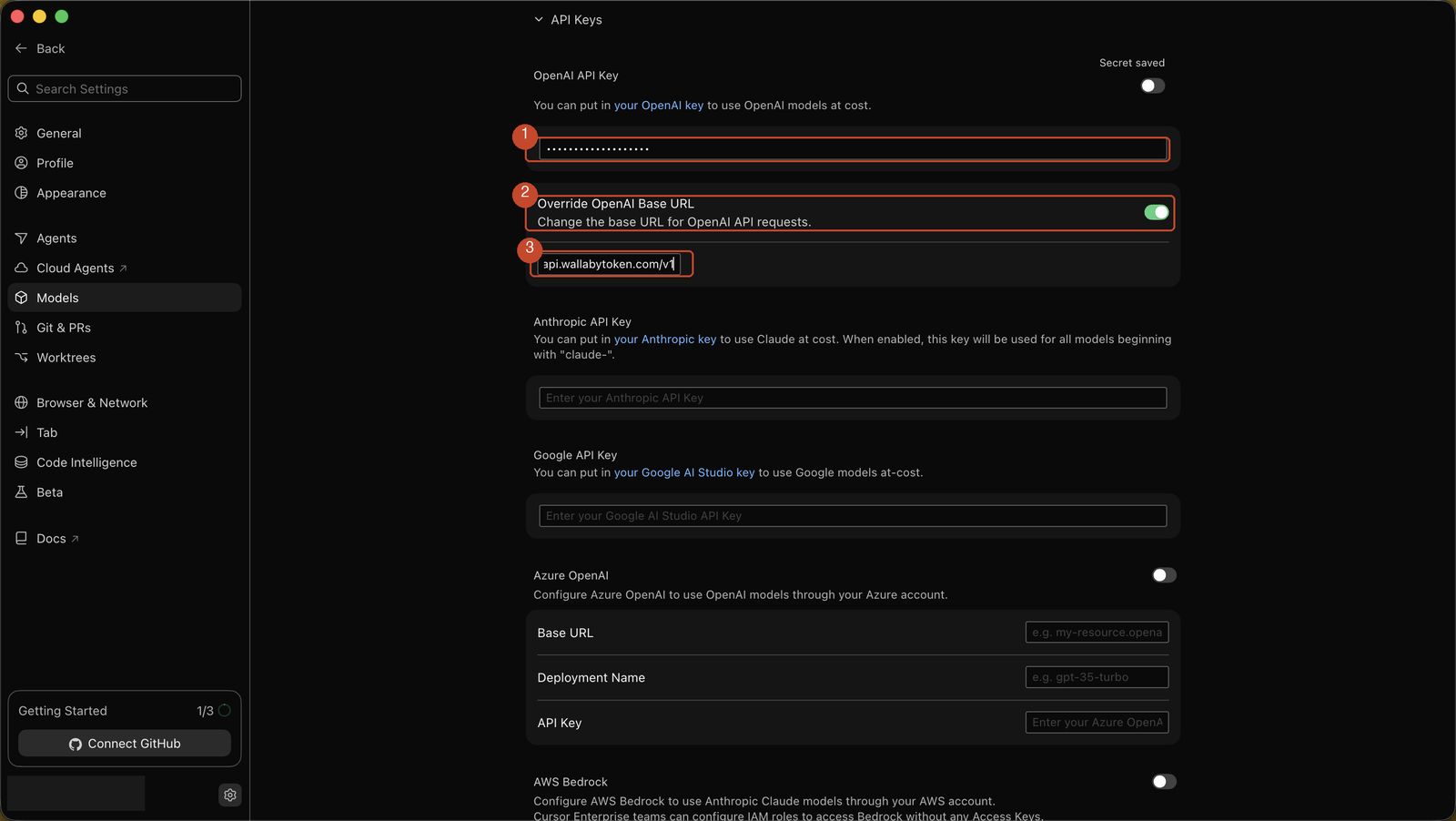
So far, so good. This is exactly how every OpenAI-compatible client behaves. Then it falls apart.
Wall 1: you cannot add "kimi-k3" as a custom model
The documented pattern for third-party endpoints is adding a custom model name in the model list. We typed kimi-k3 into Add or search model, clicked Add Custom Model, confirmed — and Cursor refused:

The model "kimi-k3" is already available as "Kimi K3".
Cursor now ships Kimi K3 as a built-in, first-party model. Any custom model name that collides with Cursor's own catalog is rejected, and the model ID your endpoint serves has to match the name you add — so renaming is not something you can fix on your side.
Wall 2: free plans cannot select named models at all
Fine, we thought — the built-in Kimi K3 exists, and there's even a toggle for it in the model list, which we could enable:
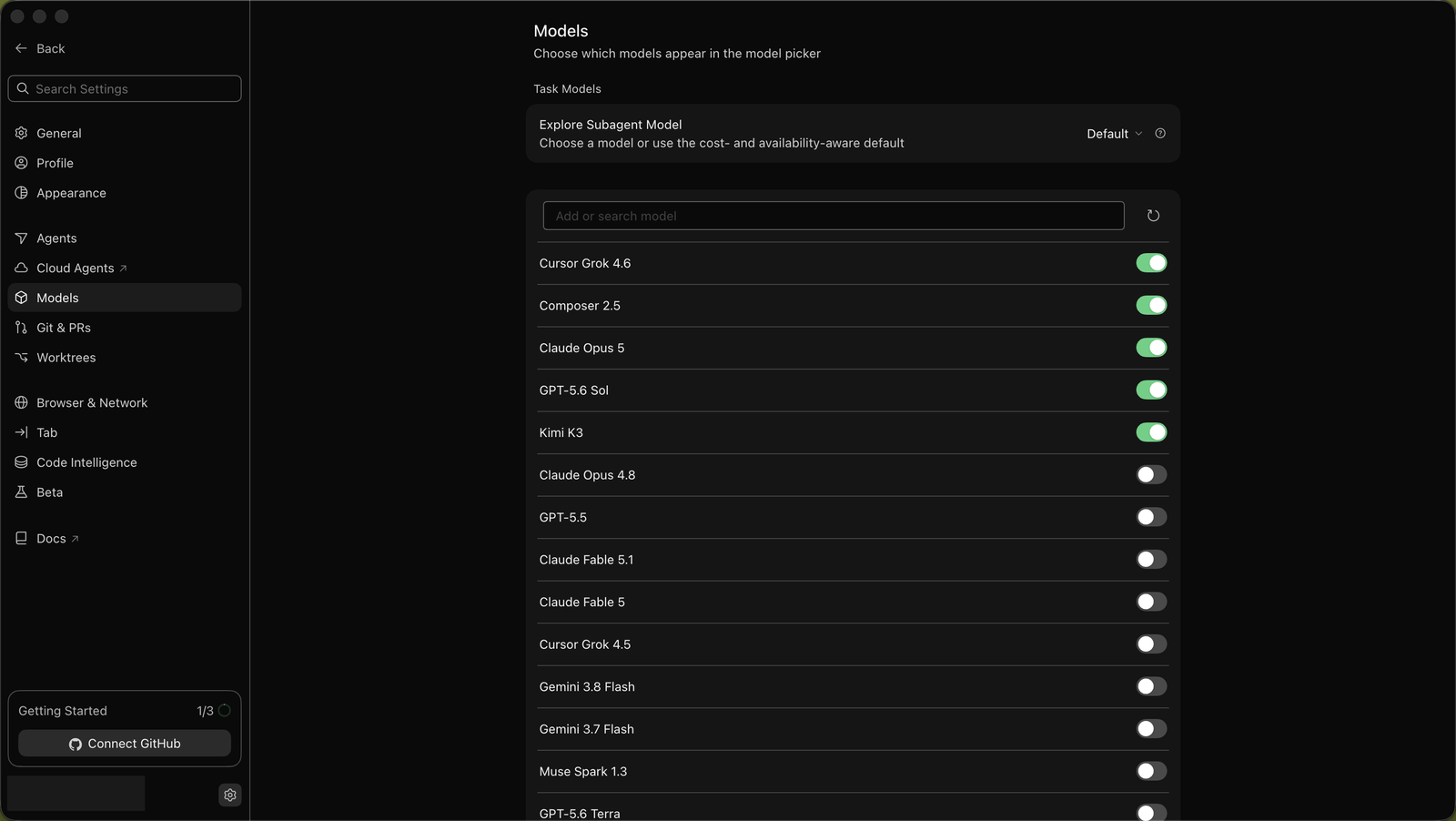
But when we opened a chat and tried to actually select it, Cursor answered with a paywall:

Named models unavailable. Free plans can only use Auto. Switch to Auto or upgrade plans to continue.
One nuance we verified so you don't have to: creating a project first does not change this. Inside a project, the model picker opens and even lets you select a named model — but the banner appears immediately and the selection does not take effect. Free-plan Cursor is Auto-only, full stop.
Why this is structural, not a bug
Put the pieces together and the picture is consistent:
- Cursor's own UI describes the API key field as a way to "use OpenAI models at cost" — the bring-your-own-key path is scoped to OpenAI's models, not to arbitrary models in Cursor's catalog.
- The built-in Kimi K3 is served by Cursor's backend as part of their paid plans. A Pro subscriber already has K3 included; there is no scenario where routing it through a third-party endpoint benefits them.
- And the one door that used to exist for third-party providers — adding a custom model name — is closed specifically for
kimi-k3, because the name is taken.
Could a provider work around this by serving the model under an alias that doesn't collide with Cursor's catalog? Technically yes, and we may test it. But it would still require your Cursor account to be on a paid plan before you can select anything, which defeats the point of pay-per-use pricing for most people.
What actually works
If your goal is Kimi K3 in a real coding workflow on a pay-per-use endpoint, these clients cooperate:
- Claude Code — works via the
ANTHROPIC_BASE_URLenvironment variable. We ran it end-to-end: setup guide. One gotcha from our testing: the base URL must not end in/v1— Claude Code appends that itself. - Cline (VS Code extension) — free, open, accepts any OpenAI-compatible provider. Setup guide is in testing and lands this week.
- OpenHands — configure through the UI (its
config.tomlis ignored in Docker mode). Guide in testing as well.
We run our own internal workloads on the same gateway we sell, so "does this client actually work" is a question we answer with our own usage before we publish anything. This series will keep that rule: every guide we ship was configured and verified on a real account, and when something doesn't work, we'd rather tell you that than ship you a pretty tutorial that dead-ends.
If you want to try the endpoint anyway — for Claude Code today, or for Cline and OpenHands when those guides land — wallabytoken.com gives new accounts $0.50 in trial credit, no card required. Minimum top-up after that is $20.
If you are comparing what the endpoint itself costs across providers, our Kimi K3 API pricing comparison covers 18 providers with cached-input and output columns.
Every request lands on your invoice as an itemized line with token counts — no content logs, no training on your data, no usage reports built from your traffic. We host open-weight models only, keep a public status page, and run our own work through the same gateway we sell.