VS Code's Bring Your Own Key (BYOK) feature includes a Custom Endpoint provider that accepts any API speaking the OpenAI Chat Completions protocol — not just Azure-hosted models. That means you can add the kimi-k3 reasoning model to the Copilot Chat model picker and use it in chat and agent mode, with billing settled directly by the API provider and no Copilot request quota consumed. This guide walks through the full setup and verifies it with an agent-mode task. Disclosure: Wallaby Token sells API access to kimi-k3, and the endpoint below is ours.
What BYOK covers — and what it does not
- Covered: Copilot Chat and agent mode. BYOK models work without a GitHub sign-in and without a Copilot plan.
- Not covered: inline code completions (the grey ghost text) and semantic search — those continue to use GitHub's own models regardless of your BYOK configuration.
- Requirement for agent mode: the model must support tool calling. kimi-k3 does.
What you need
- VS Code (current stable) with the GitHub Copilot Chat extension
- A Wallaby Token API key (create an account at wallabytoken.com; new accounts receive $0.50 in free credit)
Setup
-
Open the Chat view (
Ctrl+Cmd+Ion macOS), open the model picker, and select Manage Language Models. You can also run Chat: Manage Language Models from the Command Palette. -
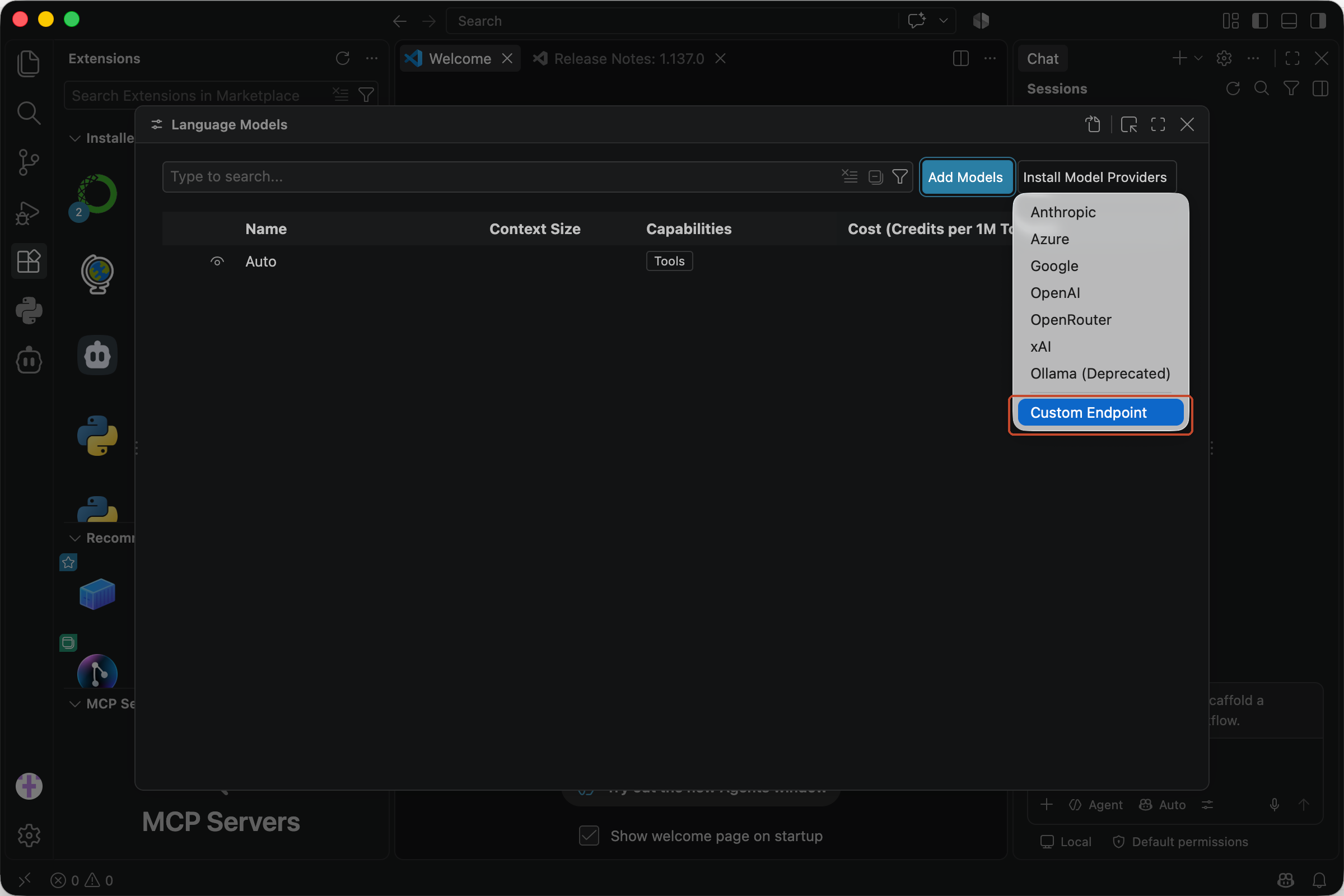
Select Add Models, then Custom Endpoint. When prompted, enter a group name — this is the label shown in the model picker; any label works, we used
kimi k3— and choose Chat Completions as the API type.
- VS Code opens
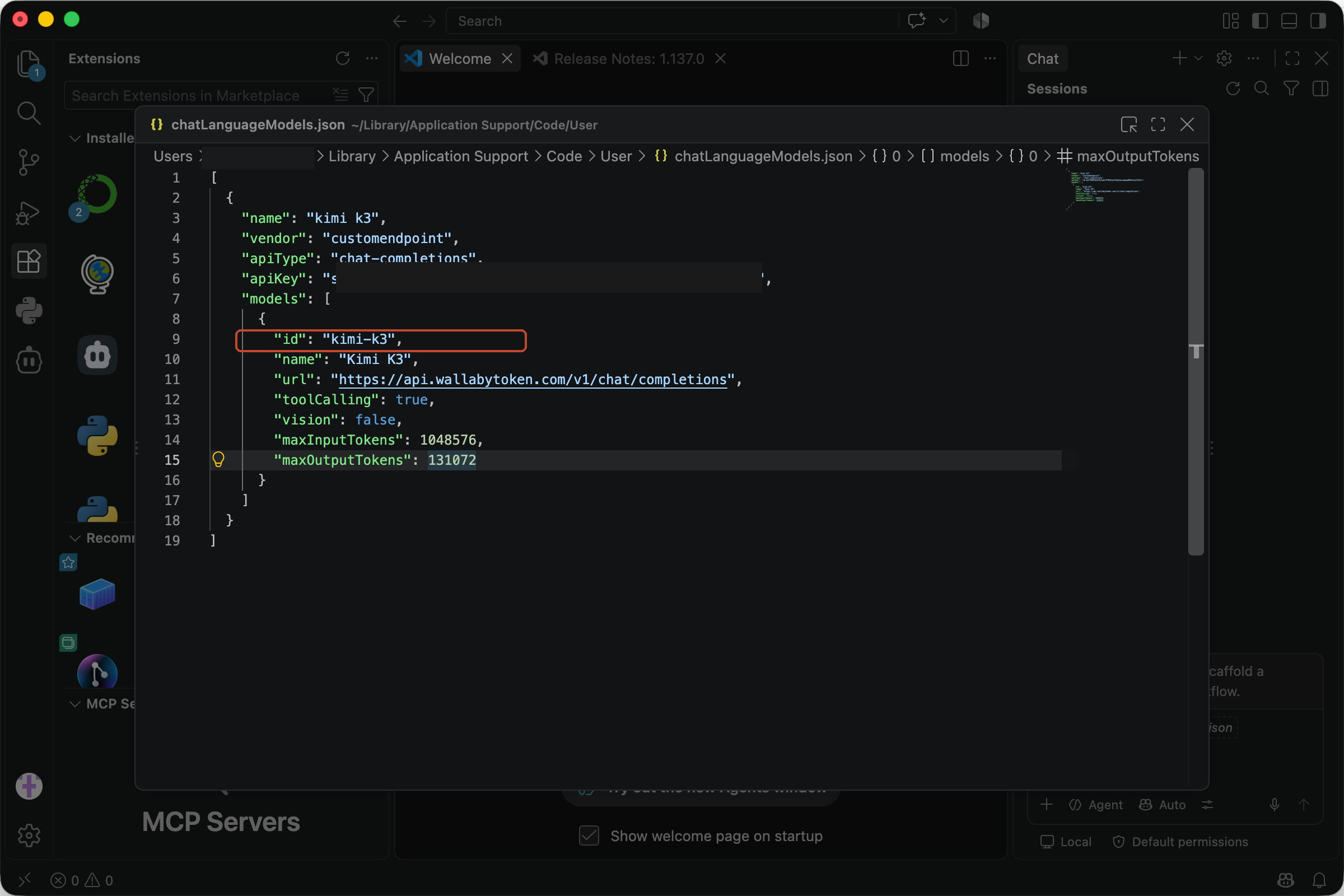
chatLanguageModels.json. Replace the scaffold with the configuration below, substituting your key:
[
  {
    "name": "kimi k3",
    "vendor": "customendpoint",
    "apiType": "chat-completions",
    "apiKey": "sk-your-wallaby-key",
    "models": [
      {
        "id": "kimi-k3",
        "name": "Kimi K3",
        "url": "https://api.wallabytoken.com/v1/chat/completions",
        "toolCalling": true,
        "vision": false,
        "maxInputTokens": 1048576,
        "maxOutputTokens": 131072
      }
    ]
  }
]
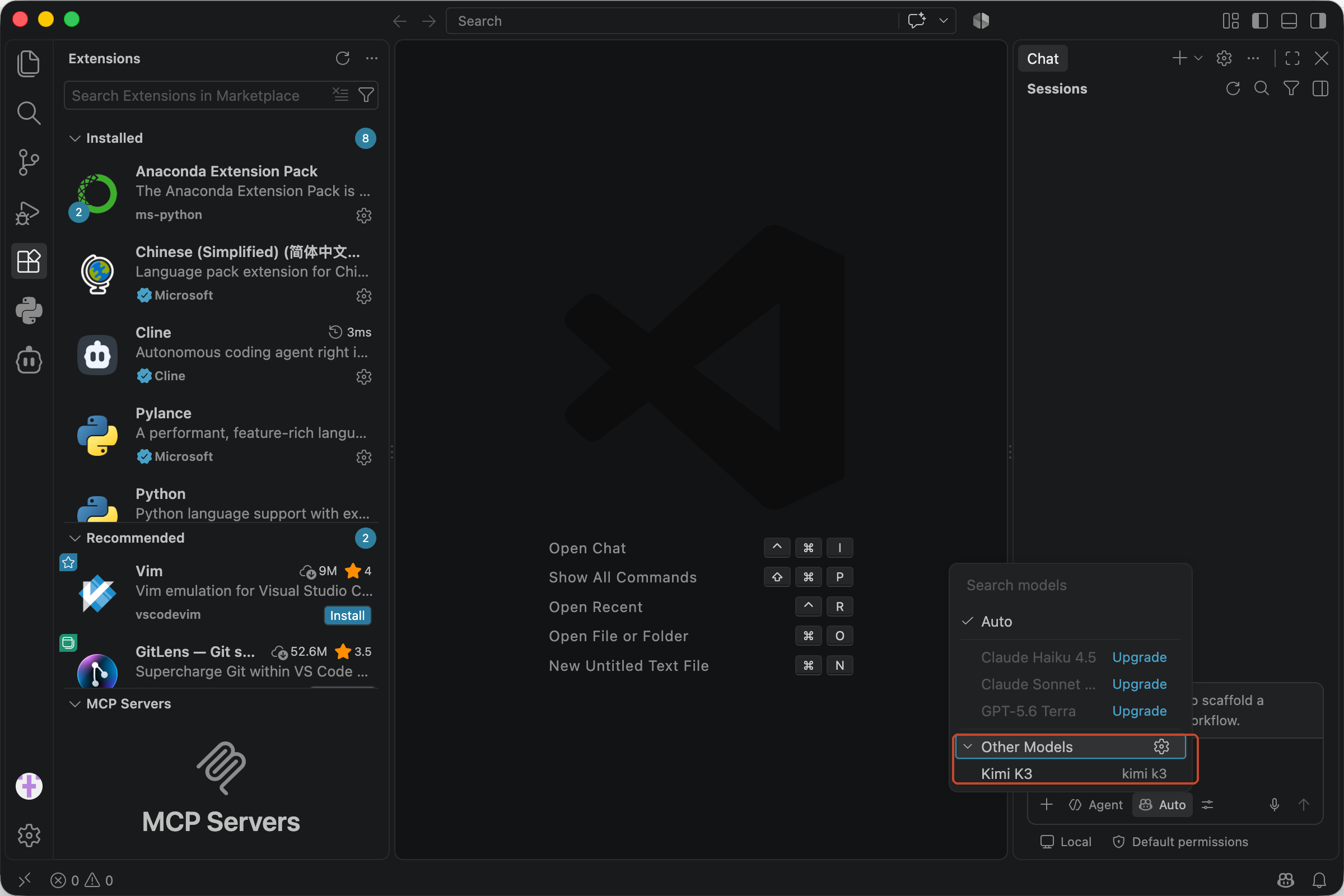
- Run Developer: Reload Window. Open the model picker again — Kimi K3 now appears under the
kimi k3group.
If the model does not appear, reload the window first, then confirm the JSON has no trailing commas and that the url ends with /v1/chat/completions.
Verify with an agent-mode task
Select Kimi K3, switch the chat to Agent mode, and enter a prompt that exercises design ability rather than plain code generation:
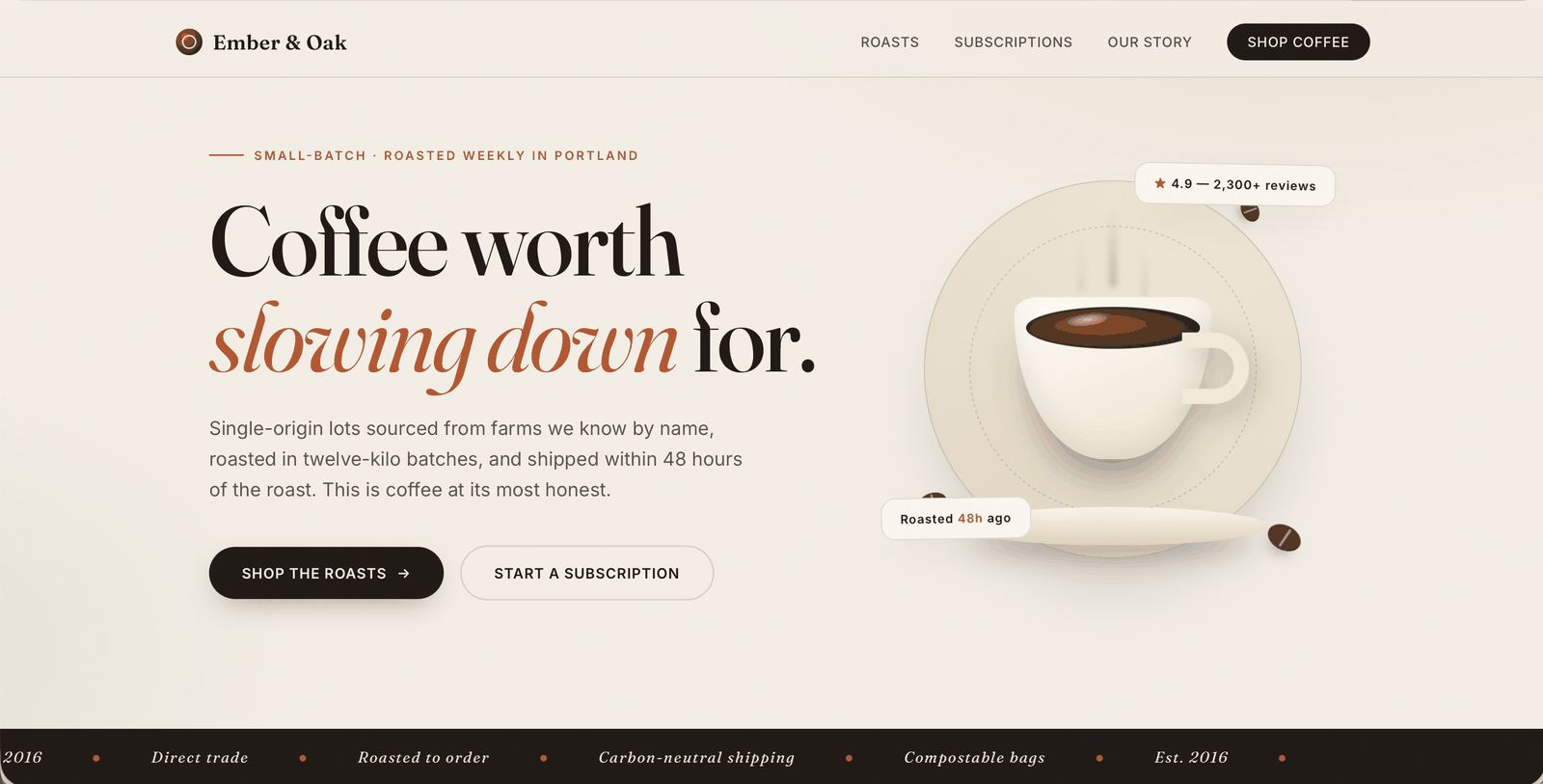
Create a single-file HTML landing page for a specialty coffee brand — hero section, product grid, and a footer, all inline CSS. Make it look like something a designer would ship.
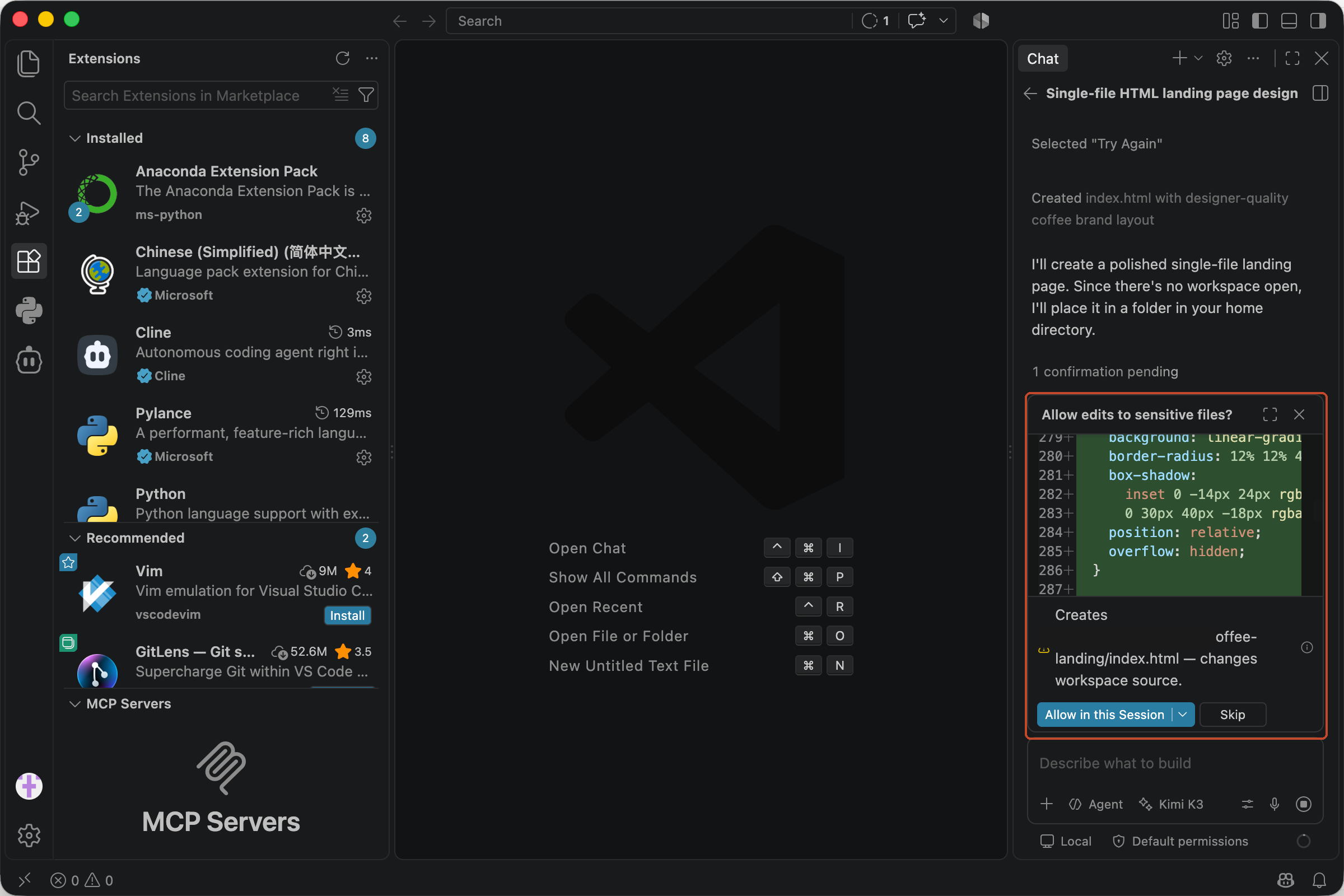
Expected result: kimi-k3 streams a short thinking phase first — normal for a reasoning model, not a stall — then produces the file and asks for permission to write it into your workspace. The thinking phase and the file write together confirm that both streaming and tool calling work through the endpoint.
Rendered in a browser, the page ships a full hero with a CSS-drawn cup, floating review badges, and a pure-CSS marquee — no image assets at all. You can open the generated page and inspect the markup yourself.
If you receive an authentication error, note that VS Code stores the key from the Add Models prompt in its own secret storage, and that copy takes precedence. Re-enter it from the gear icon next to your group on the Language Models page — or delete the group and add it again — and confirm the key is copied in full. If requests fail with a model-not-found error, check that the id is exactly kimi-k3.
Notes and pitfalls
- The old setting is deprecated.
github.copilot.chat.customOAIModelsin settings.json no longer works; thechatLanguageModels.jsonfile shown above is the current format. - Utility tasks. Title generation and similar background tasks default to GitHub's models; you can point
chat.utilityModelat your BYOK model if you want everything on one provider. - Billing. BYOK usage is billed by your API provider, not counted against Copilot quotas. With per-token pricing, agent sessions are easy to reconcile against the provider's usage logs. And keep the key itself boring — spend caps and leak hygiene matter more than the model.
- In the same editor. If you run Cline rather than Copilot, the Cline setup uses the same endpoint and the same key.
- Sampling parameters. The serving stack fixes its own sampling settings; client-side temperature values are normalized rather than applied.
Pricing
All prices are per 1M tokens.
| Wallaby | Official list | |
|---|---|---|
| Input | $2.70 | $3.00 |
| Cached input | $0.27 | $0.30 |
| Output | $13.50 | $15.00 |
Our rate is a flat 10% below the official list price, every day. The $0.50 trial credit is sufficient to complete the setup and the verification task above several times over. The minimum top-up is $20.
Get started
Create an account at wallabytoken.com to receive $0.50 in free trial credit, then add the endpoint to VS Code using the configuration above. Per-request billing settles in seconds, so the dashboard reflects your usage almost immediately after each request.
Every request lands on your invoice as an itemized line with token counts — no content logs, no training on your data, no usage reports built from your traffic. We host open-weight models only, keep a public status page, and run our own work through the same gateway we sell.