As-of: tested on macOS on 2026-09-25 with
@openhands/agent-canvas1.23.0 against a remoteopenhands-agent-server1.49.5 (SDK 1.49.5, LiteLLM 1.102.1), modelopenai/kimi-k3via our OpenAI-compatible endpoint. Agent Canvas is a beta product and changes fast; the memory mechanics below don't depend on the UI version.
Every new OpenHands conversation starts on day one. The agent doesn't know what the repo is, what you built yesterday, or which decision you made last week — so it re-reads, re-greps, and re-asks, and you re-pay for the same context on every session. OpenHands is not unusual here; amnesia is the default state of coding agents. What is unusual: OpenHands already ships the cure's integration point, and almost nobody fills it.
That slot is the repo-instructions file. OpenHands reads AGENTS.md from your repository root into the agent's context — the mechanism is documented in the official repo and works today. But a slot is not a method: nothing tells the agent what to write there, when to update it, or how to keep it true. In our last post we showed what an unmaintained memory file becomes — week-one documentation, week-six fiction. This post is the two pieces clicked together: OpenHands' slot, plus a maintenance protocol to put in it, running on a remote agent-server so the memory has a permanent home. Every claim below comes from a real run on a paid endpoint.
Disclosure: Wallaby Token operates an OpenAI-compatible inference API and sells access to Kimi K3, the model used here. The memory files are plain Markdown in the repository — they never touch our systems.
The setup: Canvas in front, agent-server in the back
Two moving parts. The Canvas UI runs wherever you like (we used the same local install as our step-by-step guide). The agent-server — the process that actually executes tools, files, and shells — runs as a separate backend, which is what makes "remote" possible:
uvx --from openhands-agent-server==1.49.5 \
    --with libtmux --with openhands-sdk==1.49.5 --with openhands-tools==1.49.5 \
    agent-server --host 127.0.0.1 --port 28000
Set OH_SESSION_API_KEYS_0 and OH_SECRET_KEY in the environment, then in Canvas: Manage Backends → Add Backend — a label, the server URL, and the session key. The LLM profile is the same three fields as before (openai/kimi-k3, Base URL, API key). One number for capacity planning: after a completed session the agent-server idled at 108 MB RSS with CPU at zero — the backend is light; a small VPS is enough. (It still needs real CPU while working: tool execution happens on the backend host, only model inference goes out over the API.)
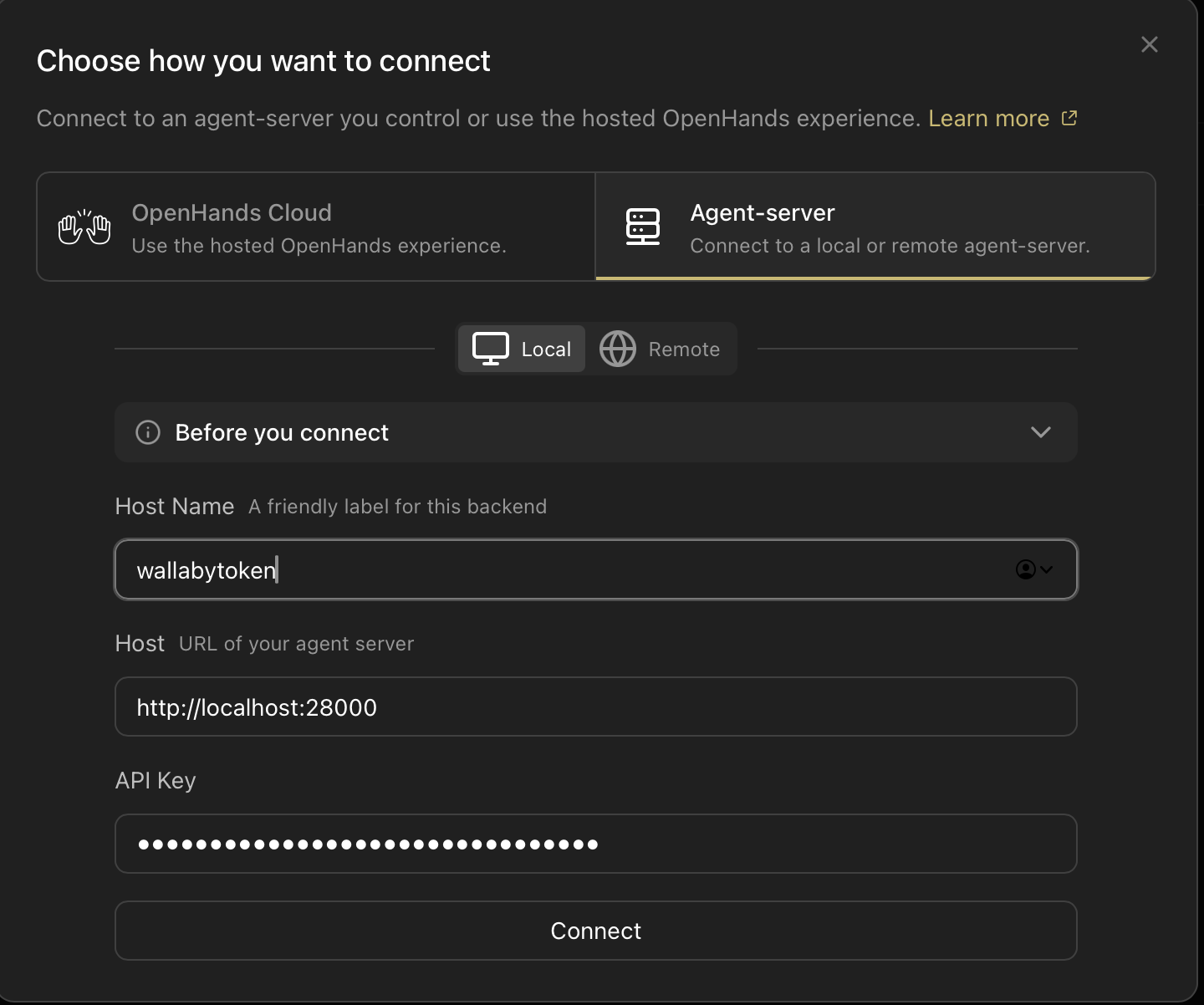
The agent-server runs the repo; the repo carries the memory. Next: the memory we dropped in.
The memory we dropped in
The template is the public wallaby-agent-rules — the same files we run our own company on (code, deploys, monitoring, this blog), MIT licensed, installed by pasting one prompt. Four rules do the work:
- Split by change frequency. Standing rules live in
AGENTS.md; current state lives inMEMORY.mdin three tiers (Active / Standby / Dormant); history is append-only. What changes weekly never shares a file with what should never change. - Write-back is part of the work. A session ends when what changed has been written back to the files — not when the code runs.
- Mechanical checks beat good intentions. A zero-dependency drift script flags files registered nowhere and state entries that stopped moving; it never has a busy week.
- A human gate on what becomes truth. The agent proposes memory writes; a human approves what becomes fact. Anything unsure goes to a to-confirm list, never into the files.
Why these four — and what rots without them — is the subject of our maintenance post. The ten-second install is the L0 prompt in PROMPT.md. The rest of this post is what happened when we let an OpenHands agent run it on a fresh remote backend.
Receipt 1: the agent maintains the memory itself
We gave the fresh remote backend one task, verbatim:
Read AGENTS.md and MEMORY.md at the repo root, and start maintaining this repo's memory following the method described there: first record what this repo is and what you did today. Then create src/hello.py that prints hello, and run it to verify. Before wrapping up, write the key points of this session back into the memory files, following the method in AGENTS.md.
The result, as git diff:
 # Project
-<One paragraph: what this repo is, what "done" looks like...>
+wallaby-agent-rules: a zero-dependency, plain-Markdown long-term memory
+system for AI coding tools (entry file + MEMORY.md + NOW.md + INDEX.md +
+scripts/health_check.py), distributed as paste-in prompts in PROMPT.md.
+This repo dogfoods its own v1 starter templates: this AGENTS.md holds the
+standing rules; MEMORY.md holds the three-tier state. Done = task changes
+complete and memory updated per the closeout protocol below.
+## Standby
+- [2026-09-25] Memory maintenance adopted; repo identity recorded → AGENTS.md#Project
+- [2026-09-25] src/hello.py created; prints "hello"; verified via `python3 src/hello.py` → src/hello.py
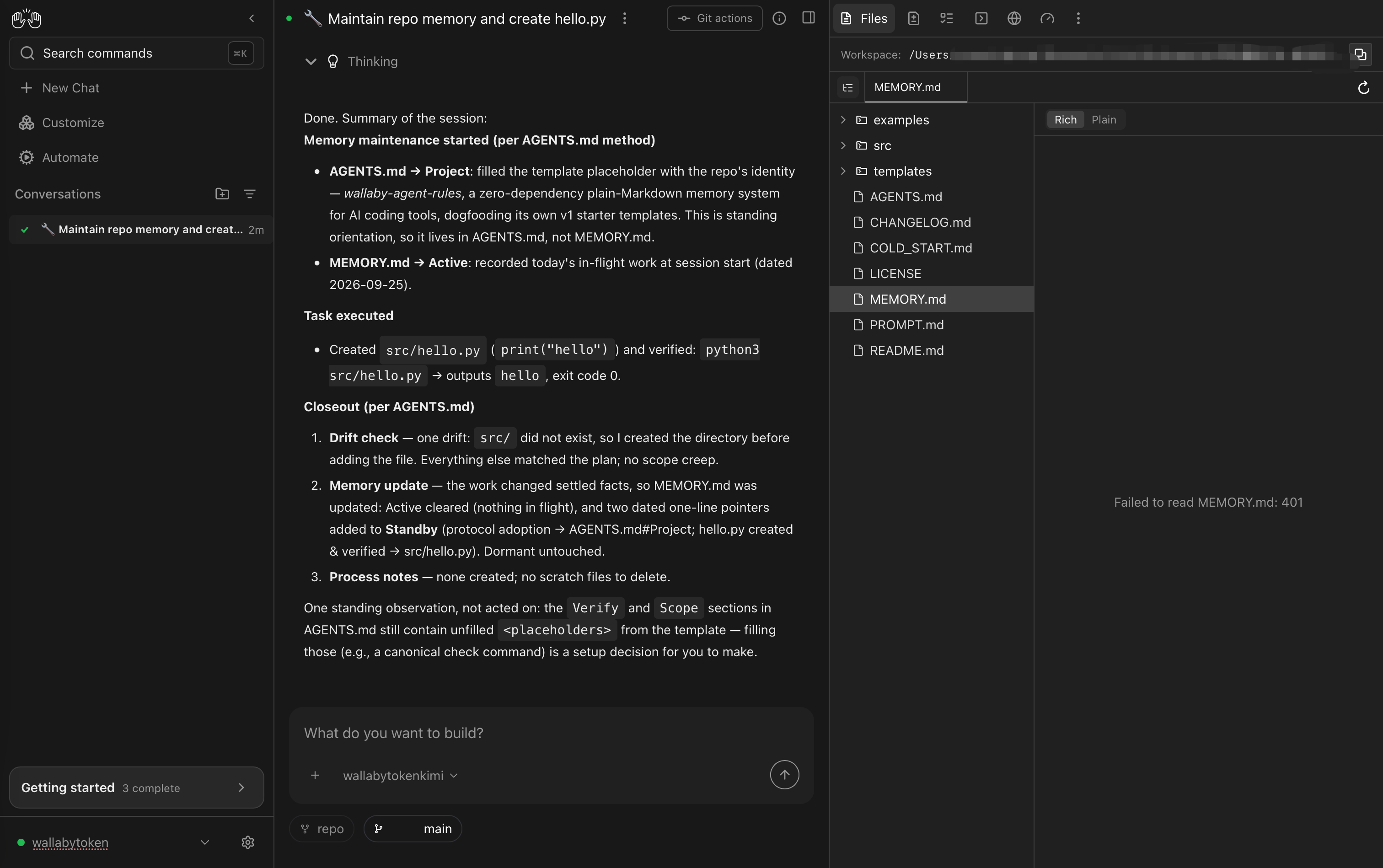
The routing is the part worth staring at. Standing orientation went into AGENTS.md#Project — not into the state file. The session's outcomes went into MEMORY.md as two dated one-line pointers; the Active tier was cleared at closeout; the Dormant tier was left untouched; no scratch files were left behind. And one boundary call we didn't ask for: the agent noticed the template's Verify/Scope sections still had unfilled placeholders and flagged them as "a setup decision for you to make" instead of inventing values. That is the maintenance protocol doing exactly its job — including its human gate.
Receipt 2: session two starts on day thirty
Then we opened a new conversation — new context window, same backend, same repo — and asked only:
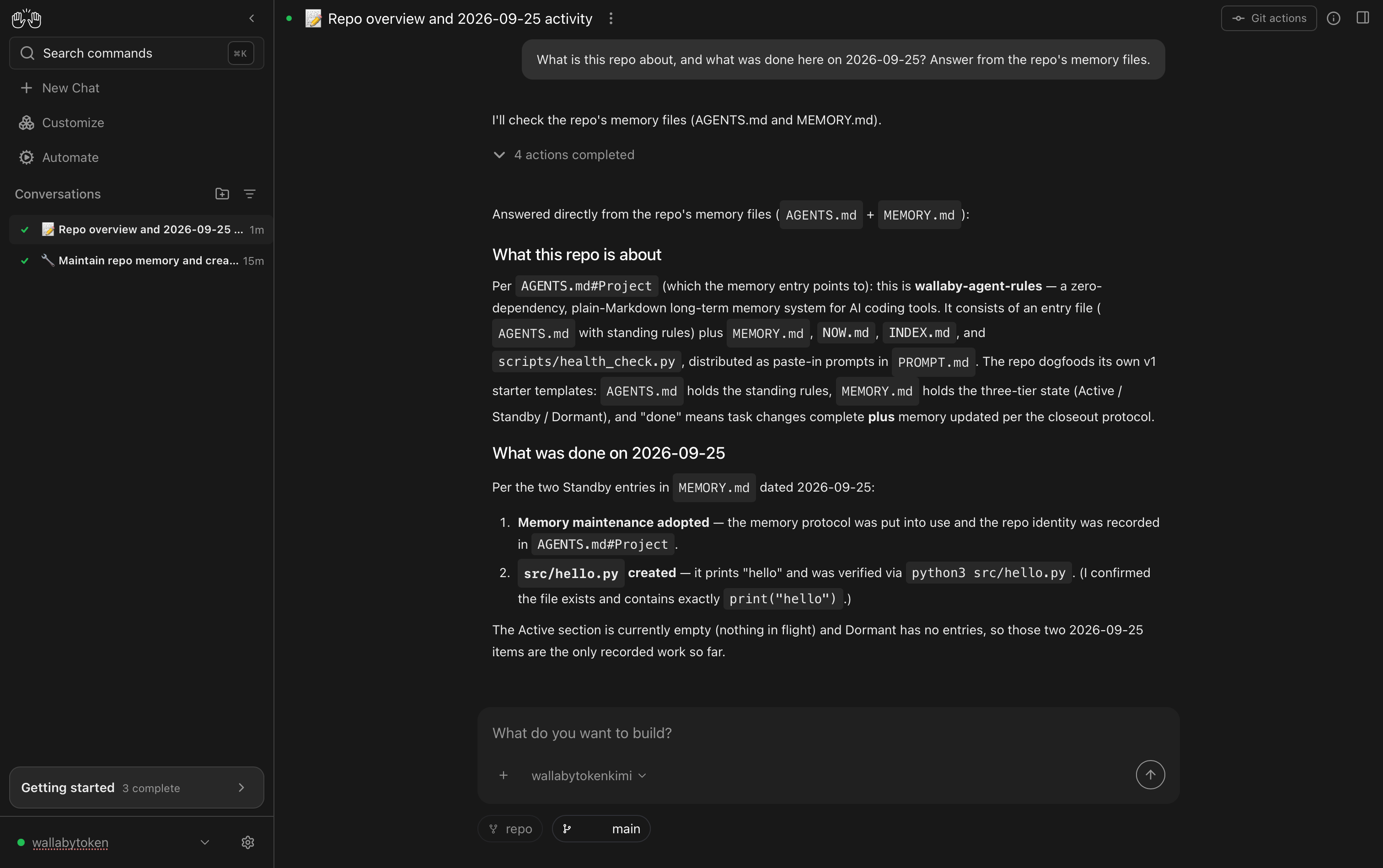
What is this repo about, and what was done here on 2026-09-25? Answer from the repo's memory files.
Four actions: list the root, read MEMORY.md, verify src/hello.py exists, answer. It recited the repo's identity from AGENTS.md#Project, replayed both dated entries from Standby, and volunteered that Active and Dormant were empty. Zero changes to the repo. One human moment: it briefly worried that 2026-09-25 was "in the future," then shrugged and read the files — which is the correct instinct when your memory file is newer than your assumptions.
The token shape of the two sessions, from the client and the provider receipt:
| Session 1 (build + remember) | Session 2 (recall) | |
|---|---|---|
| Input tokens | 239,528 (56.4% cache reads) | ~16.5k per call, mostly cache |
| Output tokens | 5,702 | 1,138 total |
| Provider receipt | itemized per call | 3 calls, ≈ $0.07 |
Session one does the expensive reading once; every later session starts from a nine-hundred-word memory instead of a cold repo. The cache column matters too — a stable memory file plus a stable system prompt is exactly what prompt caching pays for. [Client-reported token counts; dollar figure from the provider console, 2026-09-25]
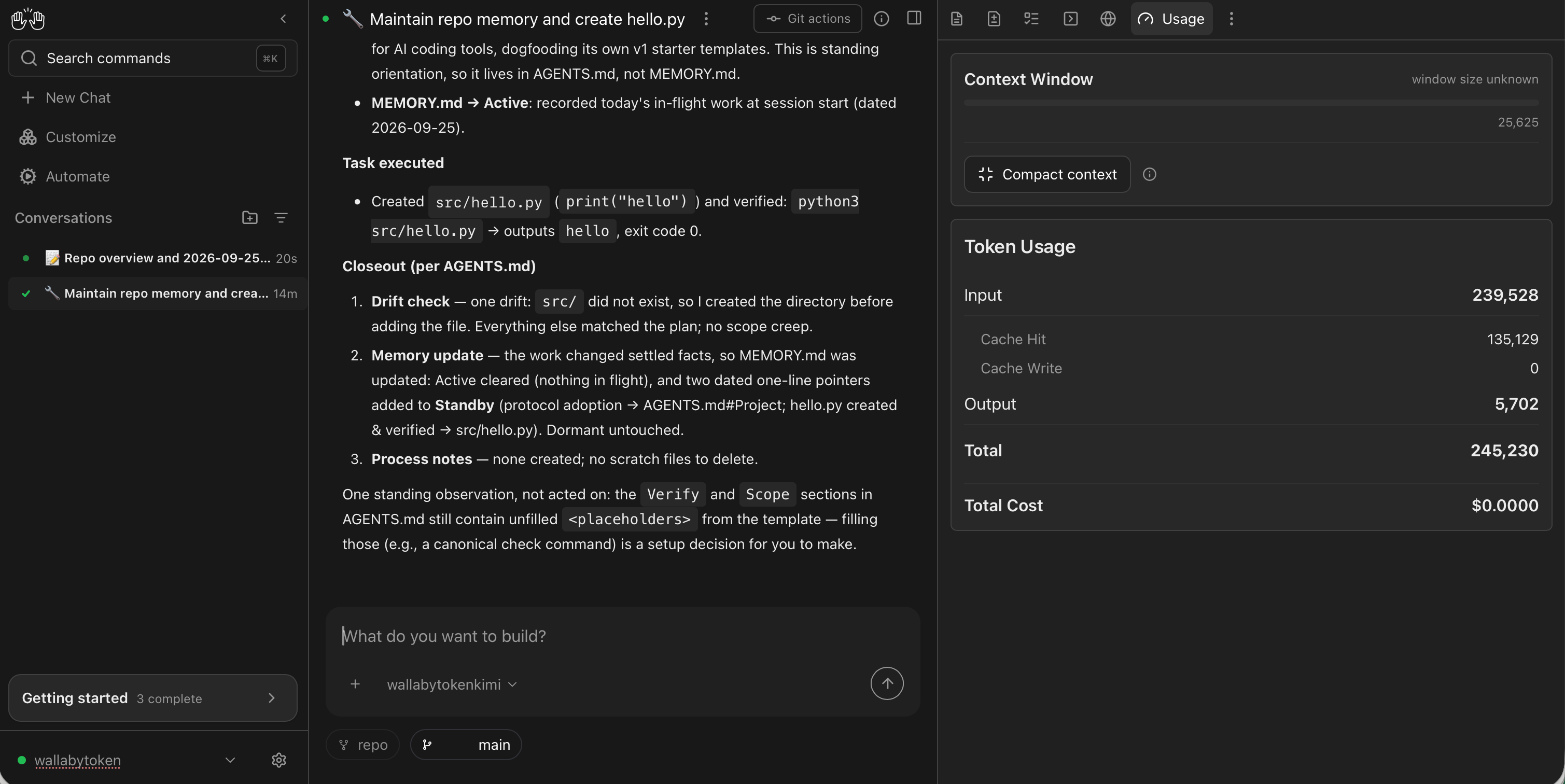
Same caveat as our Canvas guide: Canvas's own Usage panel shows $0.0000 for custom openai/* models (LiteLLM has no price mapping for kimi-k3), so treat your provider's console as the only bill that exists.

Why the remote backend is the other half of this
Memory files live in the repo — but an agent that only runs when your laptop is awake still has a part-time memory. Moving the backend off the laptop is what makes the pairing click:
- Automations inherit the memory. A cron-triggered run on the remote backend wakes up inside the same repo, reads the same
MEMORY.md, and appends its results to the same file — scheduled work compounds instead of restarting. (One Canvas behavior to design around: each automation run starts in a fresh workspace, so point it at a checkout of the repo or keep prompts self-contained.) - The laptop becomes a window. Close it, reopen it, switch machines — the backend holds the conversations, the repo holds the memory, and the bill keeps landing on the same key.
- The cost shape stays flat. 108 MB idle RSS means the always-on part is cheap; the meter only runs when the agent does.
We are moving our own backend to a small VPS next; a follow-up post will cover that move with real numbers.
Gotchas we hit so you don't have to
Profile saves silently blocked by an upstream bug. Canvas validates an LLM profile with a one-token ping before saving. That path can die on the same cache_creation_tokens telemetry crash we documented earlier — and when validation fails, the UI blocks the save without saying why. The run-path crash is already tracked upstream as software-agent-sdk #5168 with a fix in review at #5169; we added this second impact (blocked profile save, SDK 1.49.5) as a comment there. Our local workaround was a one-line getattr guard in openhands/sdk/llm/utils/telemetry.py.
Multiple agent-servers on one machine share one config home. Profiles and provider connections live in ~/.openhands, but each server encrypts secrets with its own OH_SECRET_KEY. Point a second server at the same home and it can see the first server's profiles but can't decrypt them — the UI shows "Failed to load provider connections" and previously saved keys read as empty. Rule of thumb: one machine, one OH_SECRET_KEY value across servers (or a fresh machine, which is what a VPS gives you anyway). We filed this as software-agent-sdk #5317.
The workspace picker shows the repo's insides. If you add a parent directory as a workspace, the picker offers its subdirectories — including folders inside your repo that look like candidates. Pick the repo root itself; choosing examples/ means the agent never sees the memory files.
Minor: after a conversation ended, the Files panel answered "Failed to read MEMORY.md: 401" until refreshed — cosmetic, but it looks alarming mid-demo.
Rolling out to a team
The repo carries the memory, so a teammate inherits it with git clone — their agent's first session starts with everything yours learned, and git blame doubles as the audit trail for every remembered fact. Each developer runs their own Canvas against the shared backend; on the account side, one prepaid balance covers the whole team with one named key per developer, per-key caps, and per-key usage lines (the mechanics are in One endpoint, one bill). No seat fees — adding a teammate costs exactly their tokens.
Your code, your business
Three commitments, verbatim from our privacy policy: No content logs. No training on your data. No usage reports built from your traffic. Usage lines record token counts, costs, and timing — never prompts, never completions. Your memory files never touch our systems at all — they live in your repository, which is the entire point.
Reliability you can verify
We operate a public status page so you can verify availability independently before troubleshooting your own setup. Our terms are written in plain language and publicly accessible. Wallaby Token is a registered Australian company with an ABN on file, and we run our own development workloads through the same gateway we sell — the agents behind this post ran on it.
Get started
The memory layer: clone wallaby-agent-rules into a test repo and paste the L0 prompt from PROMPT.md. The model side: create an account at wallabytoken.com (new accounts get $0.50 in free credit — many times what this post's runs cost), mint a key, and point Canvas at it with the three fields from our Agent Canvas guide. Then do the one thing that makes session two cheap: let the agent write the session down.