Most AI coding tools bill you per seat: a fixed fee per developer per month, with a usage allowance inside. That model works until you look at the variance — one developer runs agents all day, another opens the tool twice a week, and both seats cost the same. This guide shows the other way to do it: one prepaid balance, one API endpoint, and one named key per developer, each with its own hard cap. Everything below was done on a real Wallaby Token account and is shown with real console screenshots. Disclosure: Wallaby Token sells API access to kimi-k3, and the endpoint used here is ours. The rate behind everything below is the cheapest verified Kimi K3 API access we can find.
The shape of the setup:
- One account, one balance. You top up once. Every developer's usage draws from the same prepaid pool.
- One key per developer. Each key gets its own name, its own dollar cap, an optional expiry date, and an optional model restriction.
- Usage is itemized per key. Every request lands in the usage log with the key name attached, so cost attribution per developer is built in — no spreadsheets, no estimation. The single-request view behind each line is in Kimi K3 API with per-request itemized billing.
- Prepaid means hard-capped. The balance is the budget. There is no in-arrears billing and no end-of-month surprise; when a key hits its cap, that key stops until you raise it. A leaked key with a cap is a nuisance, not a bankruptcy.
What this is not: there is no SSO, no SCIM provisioning, and no org-level role management. If your procurement checklist requires those, you are shopping in the enterprise tier of the larger vendors, and this guide will not change that. If your team is a handful of developers who just need working access, controlled spend, and one invoice-worthy statement, read on.
What you need
- A Wallaby Token account (create one at wallabytoken.com; new accounts receive $0.50 in free credit)
- Five minutes per developer for the key handout
- A client per developer: anything that accepts an OpenAI-compatible endpoint works — see our guides for Cline, Codex CLI, Cursor, Claude Code, or VS Code BYOK
Step 1: Top up once
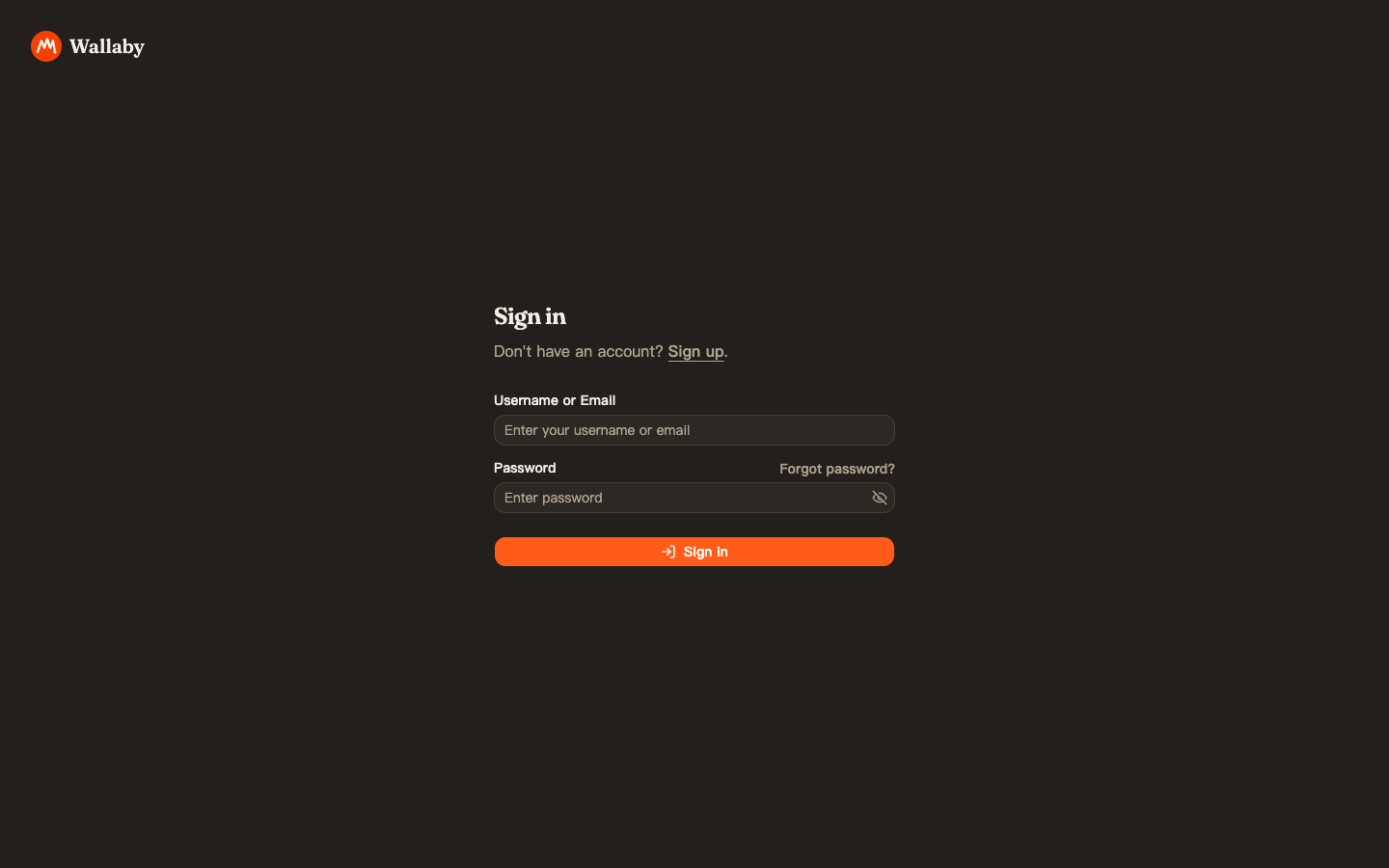
Sign in at api.wallabytoken.com:
Open Wallet in the sidebar and add funds. Tiers run from $20 to $500, with a custom amount option; payment is by card via Stripe. For this walkthrough we loaded $50 — enough for a handful of developers through an evaluation week, not a commitment:
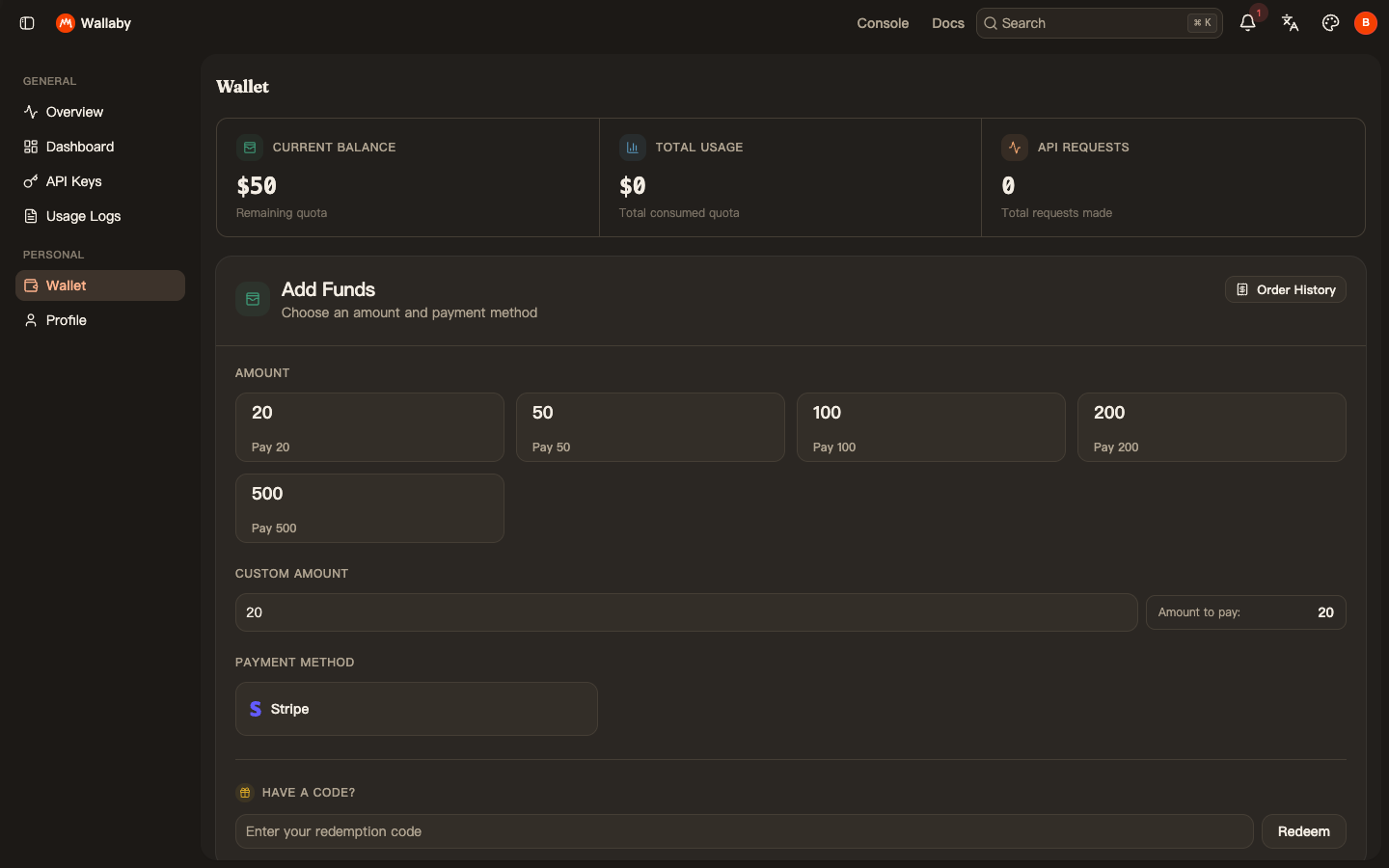
This balance is now the entire AI budget for the team. It cannot be exceeded from the API side, because usage draws it down in real time.
Step 2: Create one key per developer
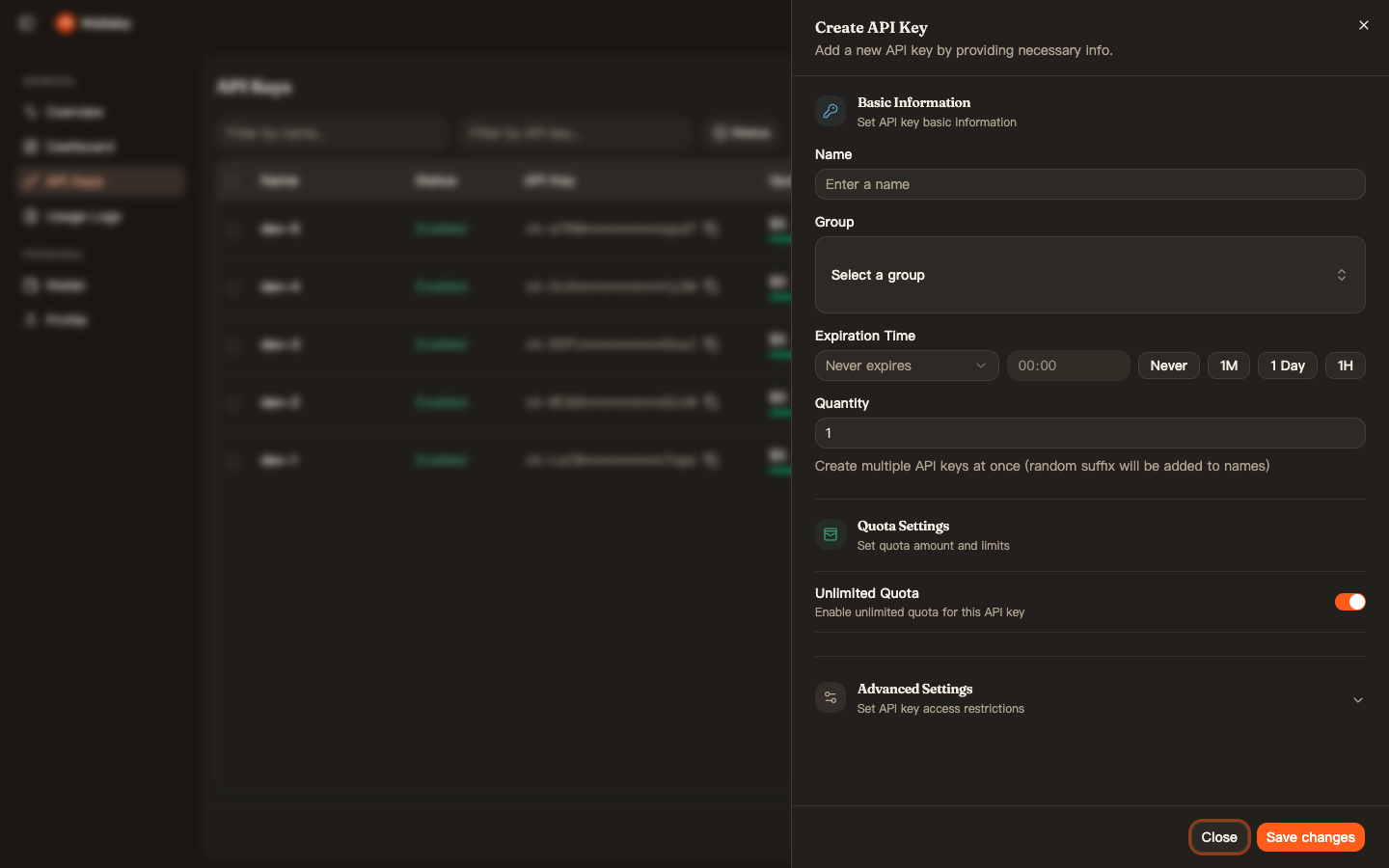
Open API Keys → Create API Key. For each developer, set four things:
- Name — the developer's name or handle (
dev-1,dev-2, … in our demo). This name shows up on every usage line, which is what makes per-person cost attribution automatic. - Unlimited Quota — turn it off, then set the cap. We gave each key $5 for the evaluation week. The cap is enforced server-side: a key that reaches it simply stops working until you raise it, and every other key is unaffected.
- Expiration Time — optional. Useful for contractors and trials: a key that expires on the end date is one less offboarding task.
- Advanced Settings → Model Limits — optional. Restrict the key to specific models (we limited ours to
kimi-k3). If you later add models to your stack, this keeps experiments from landing on the wrong bill.
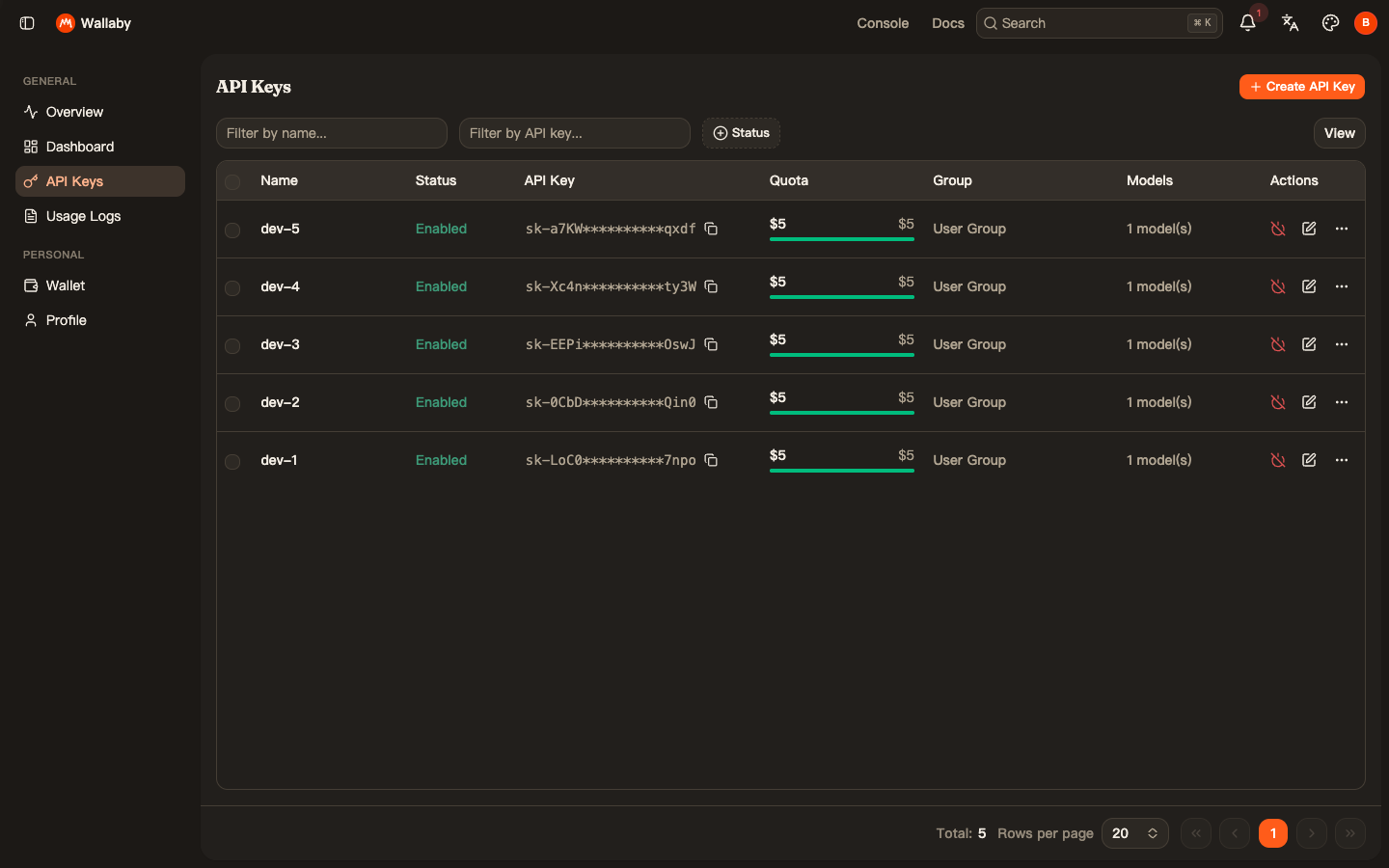
Repeat per developer. Our demo account after five keys — each named, each capped at $5, each restricted to one model:
Hand each developer their key along with three values: the endpoint https://api.wallabytoken.com/v1, the model name kimi-k3, and the key itself. Their client setup is the same as any personal setup — the per-tool guides linked above cover it step by step.
Step 3: Verify — per-key attribution is automatic
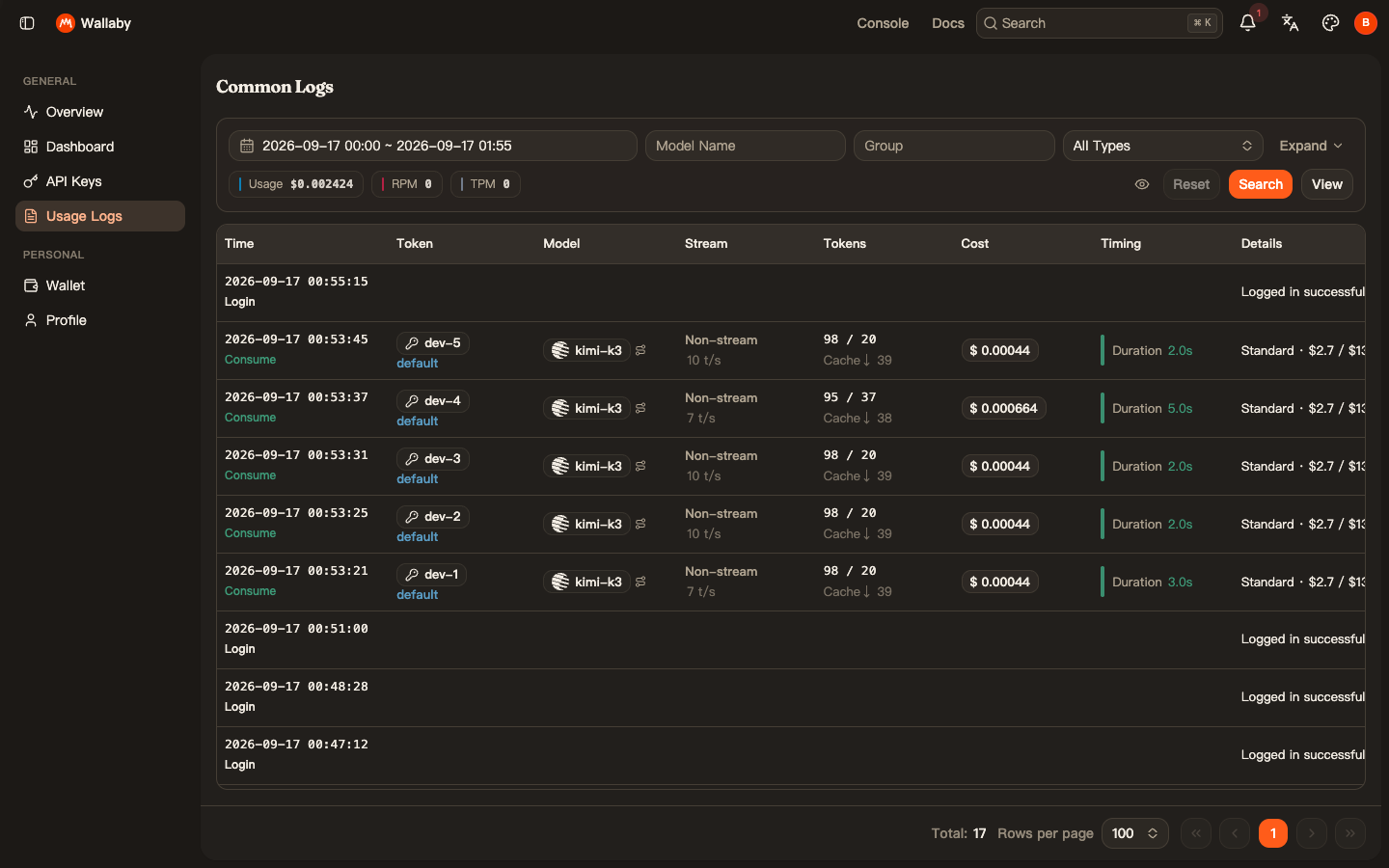
We sent one real request through each of the five keys. Seconds later, the Usage Logs page shows exactly what a team lead wants to see at the end of the month: every line tagged with the key name, the model, the token counts, the cost, and the latency:
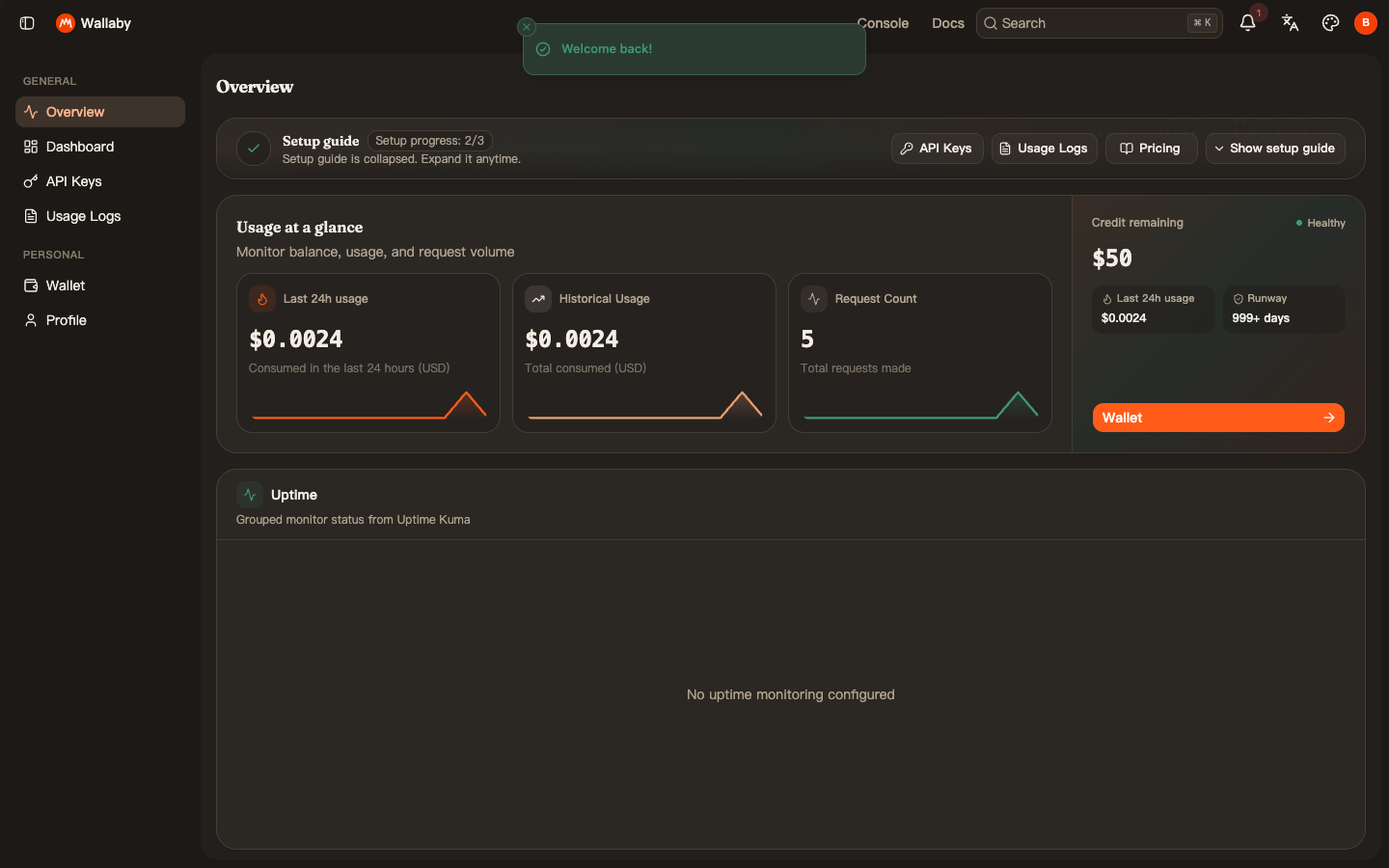
And the Overview page rolls the same data up: total spent, request count, remaining credit, all in one glance:
No export, no reconciliation script — the per-developer split is the default view.
Running it month to month
The operating rhythm that falls out of this setup:
- Budgeting is one decision, not five. Top up the pool to whatever the team's monthly AI budget is. That number is now hard-enforced; there is no way for a runaway agent loop to bill beyond it.
- Caps are steering wheels, not cages. A developer who hits a $5 cap mid-week is a signal, not an incident — either they are doing heavy agent work worth funding (raise their cap in ten seconds from the same dialog) or something is looping (you just saved real money finding out).
- Offboarding is deleting a key. When someone leaves or a contract ends, disable their key. Their access stops; everyone else is untouched; the historical usage lines stay in the log for your records.
- Keys are free. Five developers or fifteen — there is no per-seat fee, so the marginal cost of adding a teammate is exactly their token usage and nothing else.
A note on the trade-off, stated plainly: prepaid hard caps protect the budget by stopping service at the cap. If a developer's key dies in the middle of a long agent run because its cap hit, that is the system working as designed — but set initial caps with your team's real weekly usage in mind, and review them monthly against the log.
Pricing
All prices are per 1M tokens, as of September 2026 (current rates always on the pricing page):
| Wallaby | Official list | |
|---|---|---|
| Input | $2.70 | $3.00 |
| Cached input | $0.27 | $0.30 |
| Output | $13.50 | $15.00 |
The $0.50 trial credit is enough to run this entire walkthrough — our five verification requests above cost $0.0024 in total. The minimum top-up is $20. Teams spending over $500 a month: email [email protected] for volume pricing and priority support.
Sticker price is only part of a team's bill — rework is the bigger cost. See The cheapest API is the one you don't redo for the unit we use.
Get started
Create an account at wallabytoken.com, top up once, and mint your team's keys. The whole setup in this guide took under ten minutes, including the five verification requests.
Every request lands on your invoice as an itemized line with token counts — no content logs, no training on your data, no usage reports built from your traffic. We host open-weight models only, keep a public status page, and run our own work through the same gateway we sell.