pi is the minimalist terminal coding agent from earendil-works: MIT-licensed, no subscription, no seat wall. Since pi 1.0 it also has an official package mechanism: pi install npm:<package> pulls a provider extension straight from the npm registry, no JSON editing. We published pi-wallaby-provider on that mechanism, so getting Kimi K3 into pi is now three commands:
npm install -g @earendil-works/pi-coding-agent
pi install npm:pi-wallaby-provider
export WALLABY_API_KEY=sk-your-wallaby-key   # then run: pi
On Windows, one PowerShell script does all of it, Node included. What you get at the end: /model lists kimi-k3 [wallaby], and your first task bills like ours did today: a real repo-review run, $0.024, itemized in the console seconds later. About ten minutes on a Mac, one command on Windows. Disclosure: Wallaby Token sells API access to kimi-k3, and the endpoint this package points at is ours.
What you need
- A Wallaby Token account: create one at wallabytoken.com and mint an API key in the console. New accounts get $0.50 in trial credit, enough for about 20 verification runs like ours. The "token" in our name is the LLM metering unit, not a crypto token.
- On Mac: Node.js 22.19 or later, run
node --versionto check. On Windows: nothing. The installer brings its own portable Node. - pi 1.0 or later. Everything below was verified on pi 1.0.4.
Setting this up for a team? One account is enough — see the For teams section at the end.
Mac: three commands
1. Install pi
npm install -g @earendil-works/pi-coding-agent
pi --version
One thing to check right after install: current pi needs Node ≥ 22.19. On an older Node, npm silently installs the legacy 0.74.x line instead, with no error. If pi --version prints something old, upgrade to the Node LTS from nodejs.org first, then reinstall.
2. Install the provider
pi install npm:pi-wallaby-provider

No files to edit. The extension registers the provider, the model metadata, and the endpoint. The mechanism is documented in pi's packages guide: npm sources install under pi's own directory, and any npm package carrying the pi-package keyword is eligible for pi's package gallery.
Want a zero-commitment trial first? pi -e npm:pi-wallaby-provider loads the package for a single run without installing anything.
3. Add your key and run
export WALLABY_API_KEY=sk-your-wallaby-key
pi
Add the export line to your shell's startup file so it survives new terminals: ~/.zshrc for zsh, ~/.bash_profile for bash. Run echo $0 if you're not sure which one you're on.
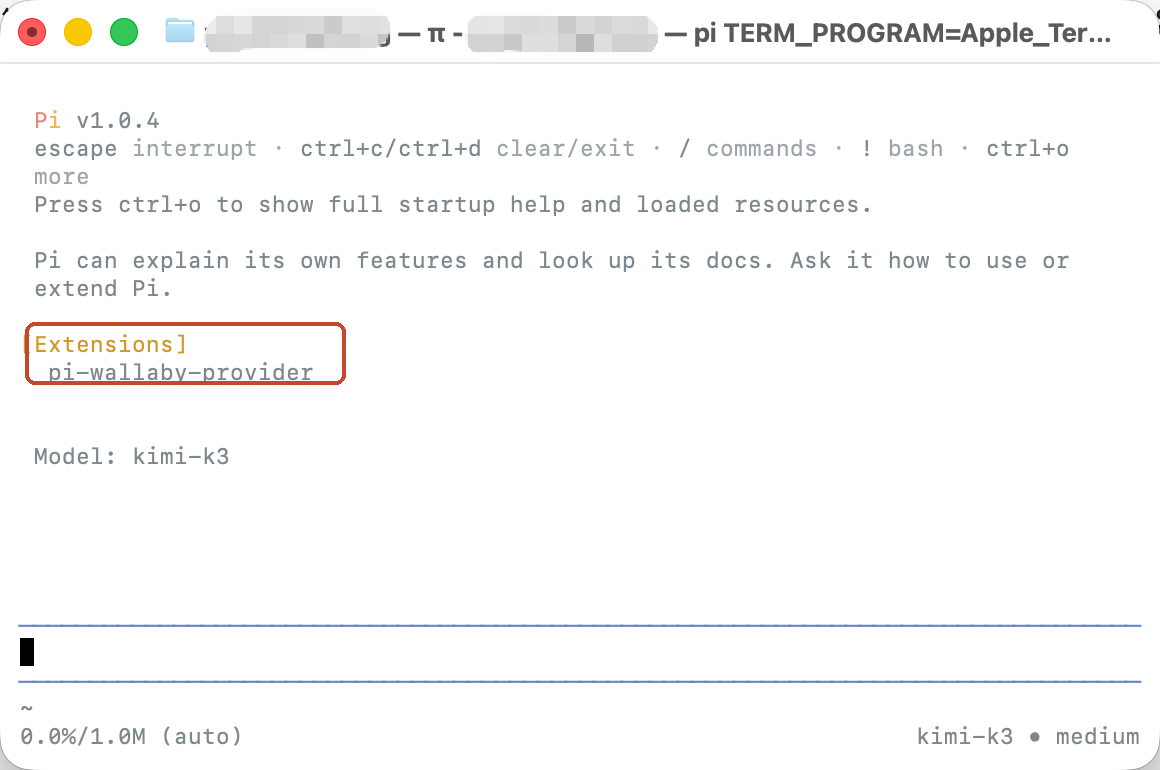
The startup screen confirms the extension loaded: [Extensions] lists pi-wallaby-provider.
Type /model and pick kimi-k3 [wallaby]. Enter selects it for the session; Ctrl+S pins it as the default.
![pi's /model picker with kimi-k3 [wallaby] selected](/blog/assets/install-pi-kimi-k3-windows-mac/03-model-picker.png)
One pi 1.0 behavior to know: the picker only lists providers whose key resolves. If kimi-k3 [wallaby] is missing, you exported the key in a different shell. Export it in the one that launches pi and reopen the picker.
Windows: one script
On Windows, the whole setup is one PowerShell script: install.ps1 and uninstall.ps1, aimed at a second workstation or a row of idle machines.
powershell -ExecutionPolicy Bypass -File install.ps1
It asks for your API key, then:
- Installs portable Node.js 22, SHA256-verified, skipped if Node ≥ 22.19 already exists
- Installs pi into a private npm prefix
- Runs
pi install npm:pi-wallaby-provider - Sets
WALLABY_API_KEYas a user-level environment variable - Installs portable Git Bash if it can; pi works fine without it
- Verifies:
pi --list-modelsmust showwallaby kimi-k3
Each person signs up at wallabytoken.com and creates their own key; trial credit is included. One key per machine keeps usage attributable, capped, and revocable. No admin rights needed: everything lands in %LOCALAPPDATA%\wallaby and %USERPROFILE%\.pi, and an existing system Node.js or Git for Windows is never touched. uninstall.ps1 removes it all, and -All also deletes the chat history.
One honest caveat: the Mac path above is verified end-to-end on pi 1.0.4, screenshots included. The Windows script is code-reviewed and every step mirrors what we ran on the Mac, but as of October 6, 2026 it has not yet run on a physical Windows machine. The full install log lands at %LOCALAPPDATA%\wallaby\install.log. If anything misbehaves, that file plus an email to [email protected] gets it fixed.
Verify it works (and what it costs)
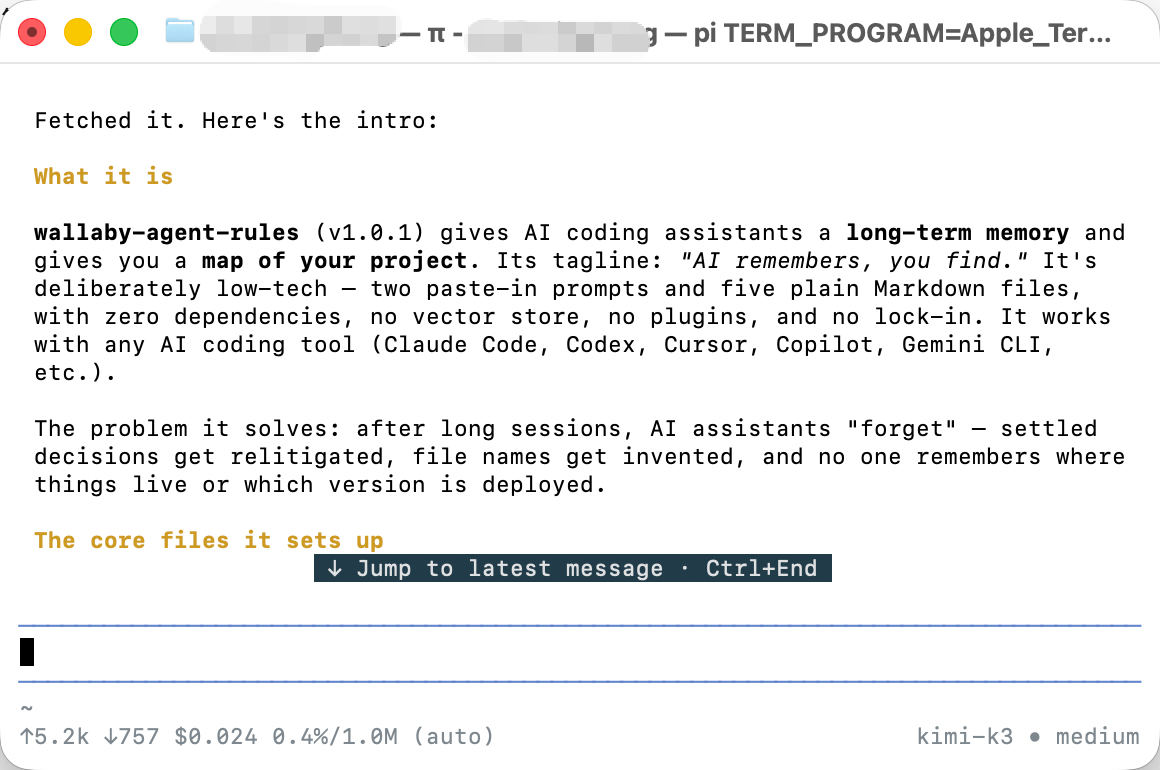
Send it a real task. Ours: fetch a repo README and summarize it. Two minutes of agent work, 5.2k tokens up, 757 down, $0.024 on pi's status bar.
Then check the billing side: open your console's Usage Logs. Each model call lands there within seconds, itemized with model, token counts, and cost. The status bar is the estimate; the log is the bill.
Prefer zero packages?
The same endpoint works with one JSON block in ~/.pi/agent/models.json, no extension at all. That route is covered field by field in How to Use Kimi K3 in pi. Both routes end at the same /model entry; pick by taste.
Troubleshooting
kimi-k3 [wallaby] is missing from /model — why?
On pi 1.0 the picker only lists providers whose API key resolves. If WALLABY_API_KEY was not exported in the shell that launched pi, the entry stays hidden. Export it in that shell, relaunch, reopen the picker.
"pi --version" shows 0.74.x right after install — why?
Your Node is older than 22.19, so npm silently resolved the legacy line, no error, no warning. Upgrade to the Node LTS from nodejs.org, then reinstall.
On Windows, "pi" is not found after the script finishes — why?
The installer adds pi to your user PATH, but terminals that were already open don't see it. Open a new terminal window. The full log is at %LOCALAPPDATA%\wallaby\install.log.
Rolling out to a team
For a fleet of Windows machines, the script above is the rollout: one command per machine, no admin rights, nothing outside the user profile. On the account side, one prepaid balance caps the whole team's spend, and each machine or developer gets a named key with its own dollar cap and optional expiry, while the usage log breaks spend down per key, so per-person attribution comes free. We never log prompts or completions, and we never train on your data. Adding a teammate costs exactly what they burn; there are no seat fees. Teams spending over $500 a month: email [email protected] for volume pricing and priority support. The full walkthrough is in One endpoint, one bill.
Pricing
Per 1M tokens, promotional rates as of October 2026 (current rates always on the pricing page):
| Wallaby (promotional) | Official list | |
|---|---|---|
| Input | $2.70 | $3.00 |
| Cached input | $0.27 | $0.30 |
| Output | $13.50 | $15.00 |
The $0.50 trial credit covers this entire guide about 20 times over.
What you built / Where to go next
You now have pi 1.0 with Kimi K3 as a first-class provider, installed through pi's own package mechanism, no config files, billing itemized per key.
- Deeper: How to Use Kimi K3 in pi covers the models.json route field by field, image input included
- Sideways: Kimi K3 in OpenCode runs the same model through a synced catalog, zero config
- Forward: create an account and the $0.50 trial credit covers about 20 runs like ours
Your data, your business
Three commitments, verbatim from our privacy policy: No content logs. No training on your data. No usage reports built from your traffic. Usage lines record token counts, costs, and timing — never prompts, never completions.
Reliability you can verify
We operate a public status page so you can verify availability independently before troubleshooting your own setup. Our terms are written in plain language and publicly accessible. Wallaby Token is a registered Australian company with an ABN on file, and we run our own development workloads through the same gateway we sell.