pi is the minimalist terminal coding agent from earendil-works (you may know it by its old name, pi-mono): MIT-licensed, four built-in tools, no subscription, no seat wall. It is also the quiet heavyweight of the coding-agent world — north of 100k GitHub stars, and one of the largest Kimi K3 consumers on OpenRouter. Unlike tools that sync a provider catalog, pi puts the integration point in your hands: any OpenAI-compatible endpoint becomes a first-class provider through one JSON block in ~/.pi/agent/models.json.
The short version — create ~/.pi/agent/models.json with this block, then export WALLABY_API_KEY=sk-your-wallaby-key and run pi:
{
  "providers": {
    "wallaby": {
      "baseUrl": "https://api.wallabytoken.com/v1",
      "apiKey": "$WALLABY_API_KEY",
      "api": "openai-completions",
      "models": [
        {
          "id": "kimi-k3",
          "name": "Kimi K3 (Wallaby)",
          "reasoning": true,
          "input": ["text", "image"],
          "contextWindow": 1048576,
          "maxTokens": 131072
        }
      ]
    }
  }
}
That's the whole setup — no plugin, no fork, no waiting for a registry to list anyone. The rest of this guide is that block field by field, the install gotchas we actually hit, and the billing-side verification. Disclosure: Wallaby Token sells API access to kimi-k3, and the endpoint configured below is ours.
What you need
- A Wallaby Token account (create one at wallabytoken.com; new accounts receive $0.50 in free credit) and an API key from the console
- Node.js 22.19 or later (
node --versionto check — on an older Node, npm silently installs the legacy pi line; see Step 1) - Five minutes
Setting this up for a team? One account is enough — see the For teams section at the end.
Step 1: Install pi
npm install -g @earendil-works/pi-coding-agent
pi --version
Three real gotchas from our install runs:
- Check the version you actually got. Current pi (0.86.x) requires Node ≥ 22.19. On an older Node — ours was 22.17 — npm silently resolves the
legacy-node20line instead (0.74.x), with no error. Ifpi --versionprints something old, upgrade Node first (nodejs.org LTS), then reinstall. You can also pin explicitly:npm install -g @earendil-works/pi-coding-agent@latest. - The package moved. It used to live at
@mariozechner/pi-coding-agent, deprecated and frozen at 0.73.1. Older blog posts still reference it — make sure you install the@earendil-works/scope. (The project moved from badlogic/pi-mono to earendil-works/pi.) - First launch downloads two helpers, and the UI may look frozen. On first run pi fetches
fdandripgrepinto~/.pi/agent/bin/from GitHub releases. In our run the "Downloading..." line never cleared even though the files had already landed — on a slow network this looks like a hang. If it sits there: Ctrl+C, runpiagain; the binaries are detected and startup proceeds. (ls ~/.pi/agent/bin/confirms both are in place.)
Step 2: Add the provider block
Create or edit ~/.pi/agent/models.json:
{
  "providers": {
    "wallaby": {
      "name": "Wallaby (Kimi K3)",
      "baseUrl": "https://api.wallabytoken.com/v1",
      "apiKey": "$WALLABY_API_KEY",
      "api": "openai-completions",
      "models": [
        {
          "id": "kimi-k3",
          "name": "Kimi K3 (Wallaby)",
          "reasoning": true,
          "input": ["text", "image"],
          "contextWindow": 1048576,
          "maxTokens": 131072,
          "cost": { "input": 2.7, "output": 13.5, "cacheRead": 0.27, "cacheWrite": 2.7 }
        }
      ]
    }
  }
}
What each field is actually doing:
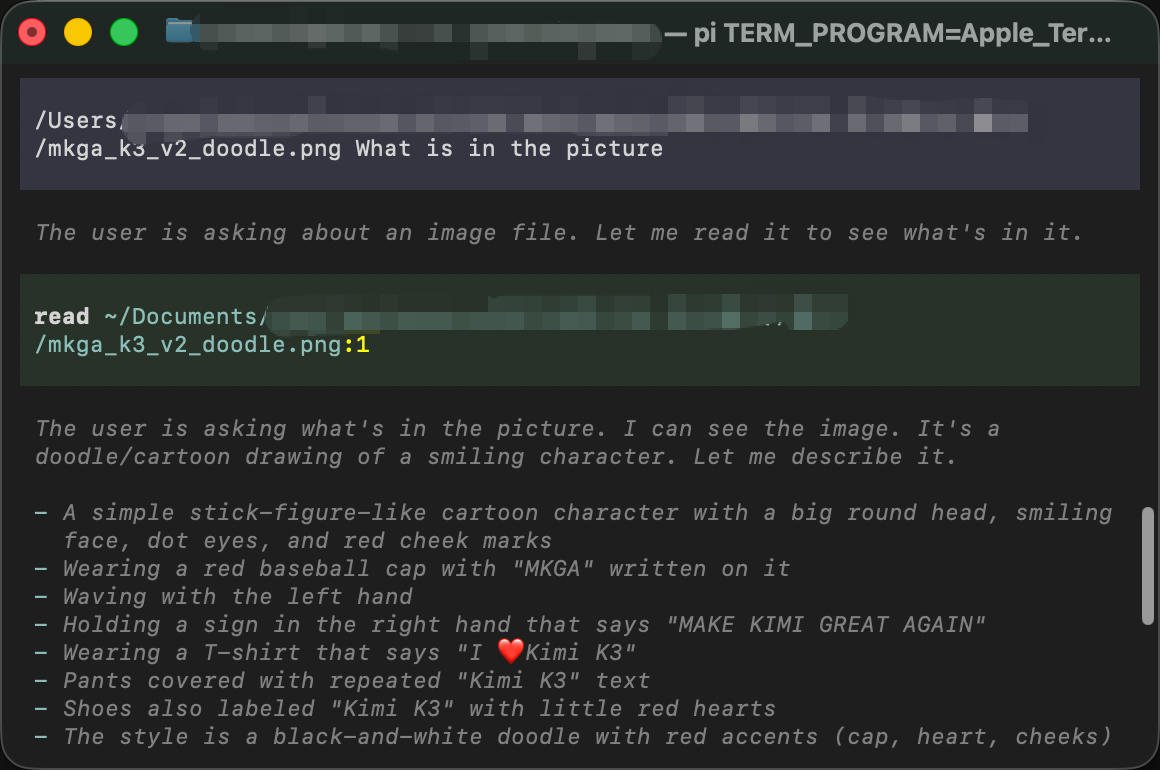
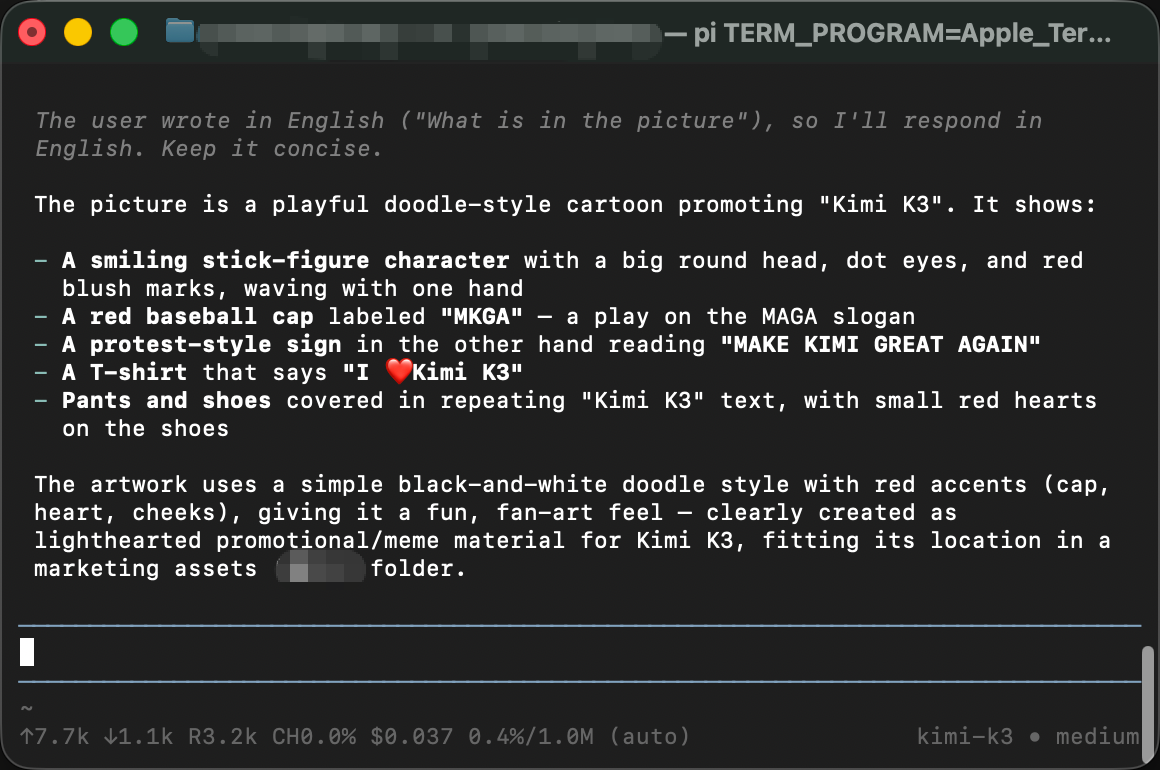
apiKey: "$WALLABY_API_KEY"— the$prefix means "read this environment variable," so the key itself never sits in the file. pi's models documentation calls this environment interpolation —"$ENV_VAR"or"${ENV_VAR}""uses the value of the named variable" — and literals or!commandshell-outs work too.api: "openai-completions"— tells pi to use its built-in OpenAI-compatible streaming. No custom code anywhere in this setup.contextWindow: 1048576— the full 1M-token context, not the 256k cut-down variant.input: ["text", "image"]— image input is live on this endpoint. Inside pi, paste a screenshot with Ctrl+V (not Cmd+V — pi hooks Ctrl+V itself; the pi README keybindings table lists "Ctrl+V to paste an image or text (Alt+V on Windows), or drag images onto terminal") and the model answers about the actual pixels.- No
compatflags — snippets for other providers sometimes setsupportsDeveloperRoleorsupportsReasoningEffort. Verified on pi 0.86.1: this endpoint needs neither. Add flags only if you hit a real error. cost— only feeds pi's local spend display. It changes nothing on the billing side; your console's itemized usage log is the source of truth.
Step 3: Set your key and run
export WALLABY_API_KEY=sk-your-wallaby-key
cd your-project
pi
Add the export line to your shell's startup file so it survives new terminals — ~/.zshrc for zsh, ~/.bash_profile for bash (check with echo $0; on this machine it was bash, and a PATH line written to the zsh file did exactly nothing).
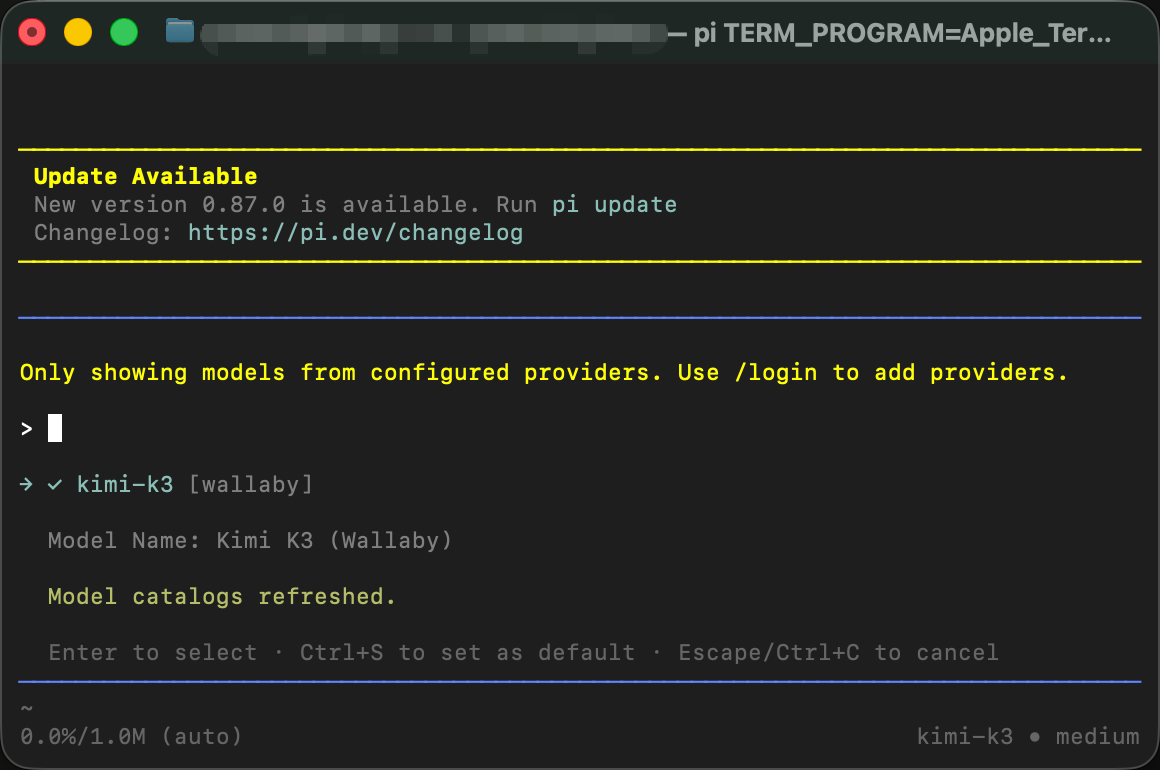
Inside pi, type /model (or Ctrl+L). With only one provider configured the list has a single entry — kimi-k3 [wallaby], captioned "Kimi K3 (Wallaby)". Enter selects it for the session; Ctrl+S pins it as the default. The models file is re-read every time you open the picker, so config edits apply without a restart.
Three commands worth knowing:
| Command | What it does |
|---|---|
/model (Ctrl+L) |
Switch models |
/login |
Store credentials interactively |
/tree |
Jump around the session tree — pi's signature feature, lets you branch back to any fork point |
Verify on the billing side
A working reply is legs one and two of the test. Leg three: open your console's Usage Logs. Seconds after the request, there is a line with the model, token counts, and cost, itemized immediately.
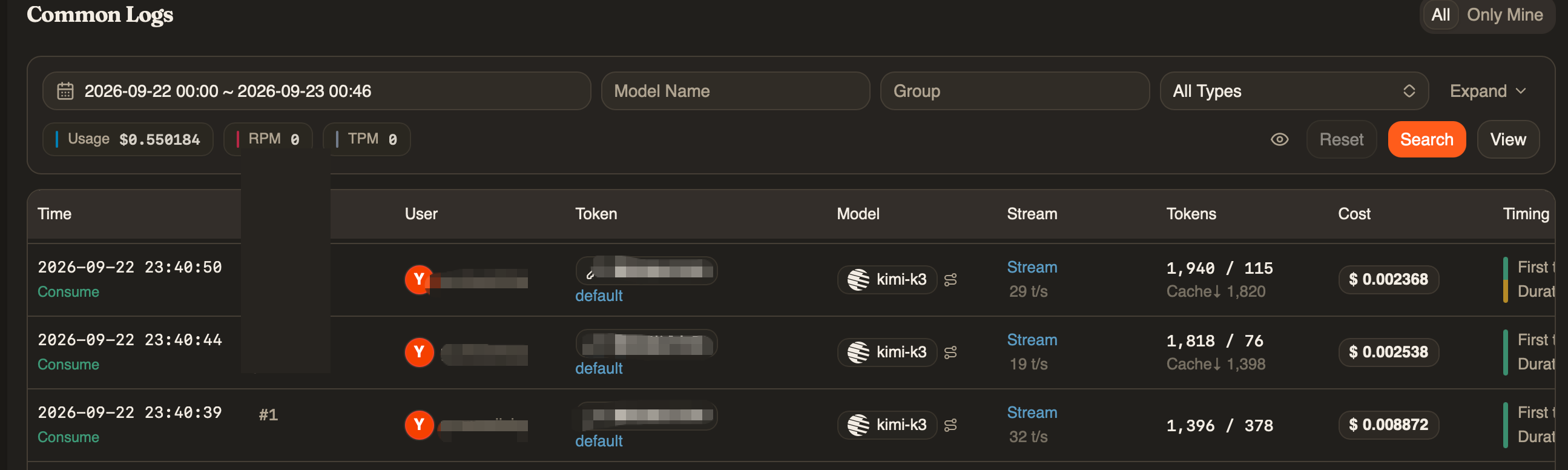
Our verification run for this guide (pi 0.86.1, one "write a palindrome function" task): pi's status bar reported $0.014 with a 93.8% cache-hit rate, and the console logged three itemized consume lines — one per agent loop iteration — summing to $0.0138. The client-side display and the server-side bill agree to the rounding digit; the log is the source of truth.
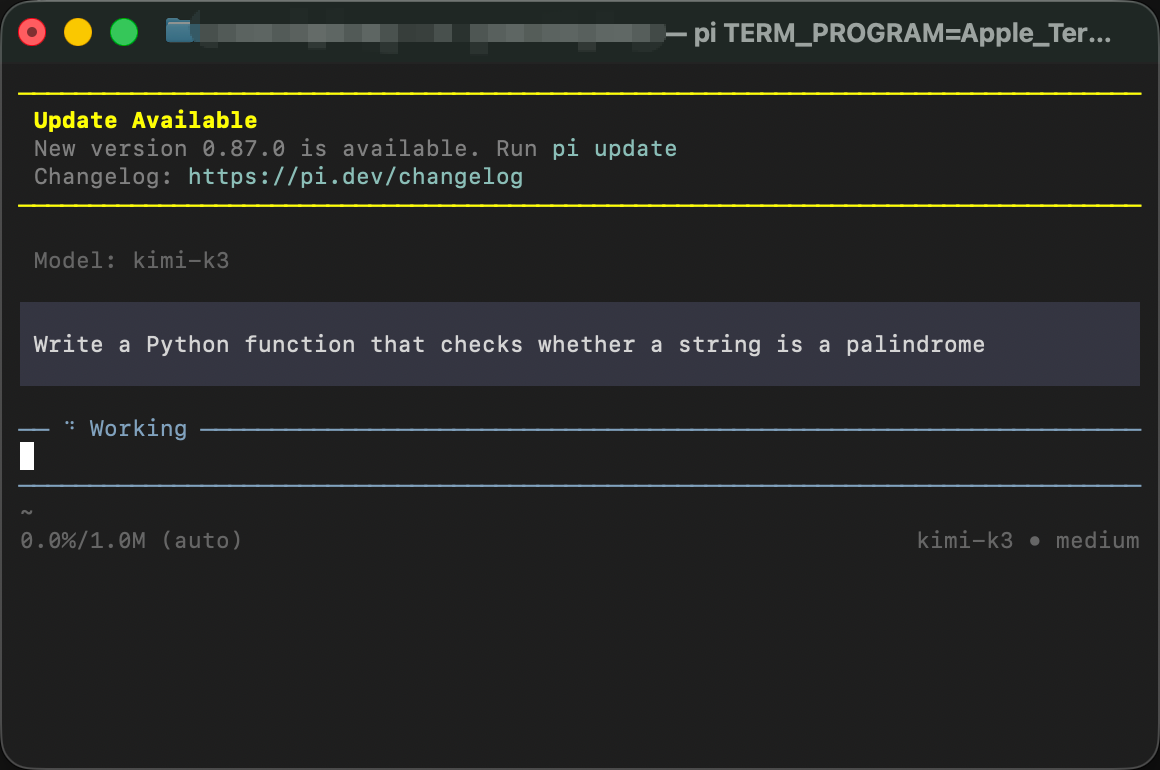
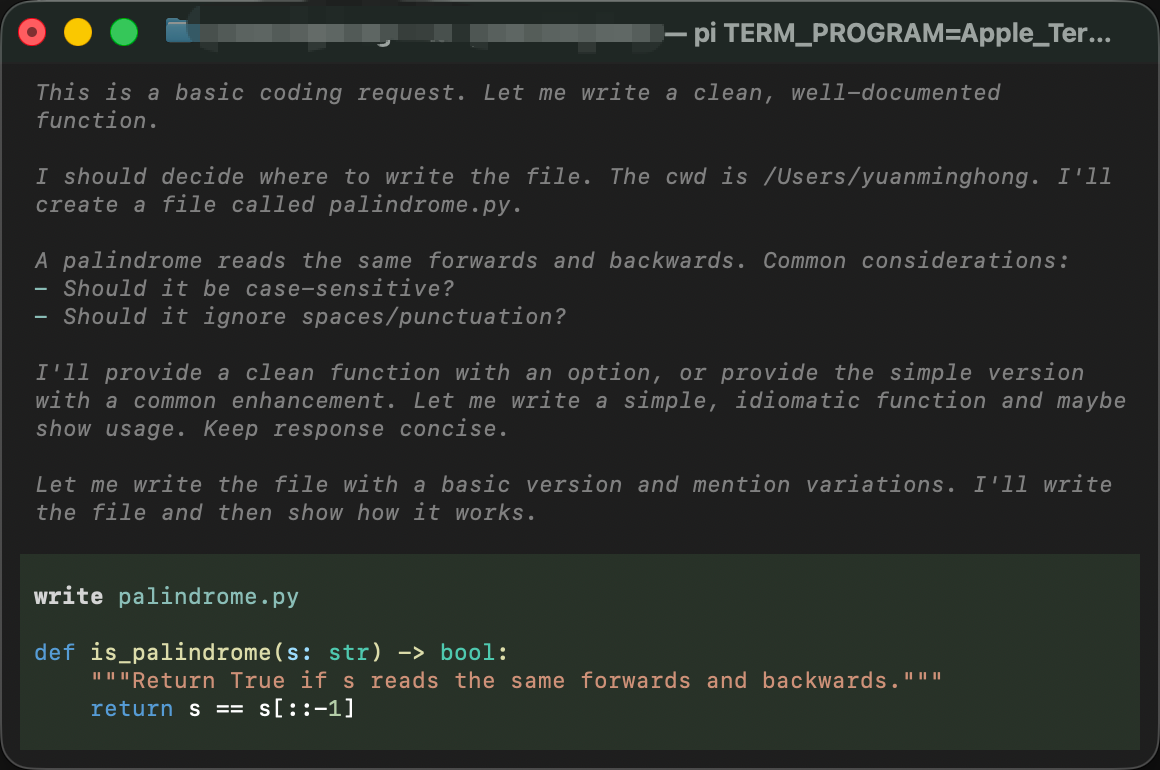
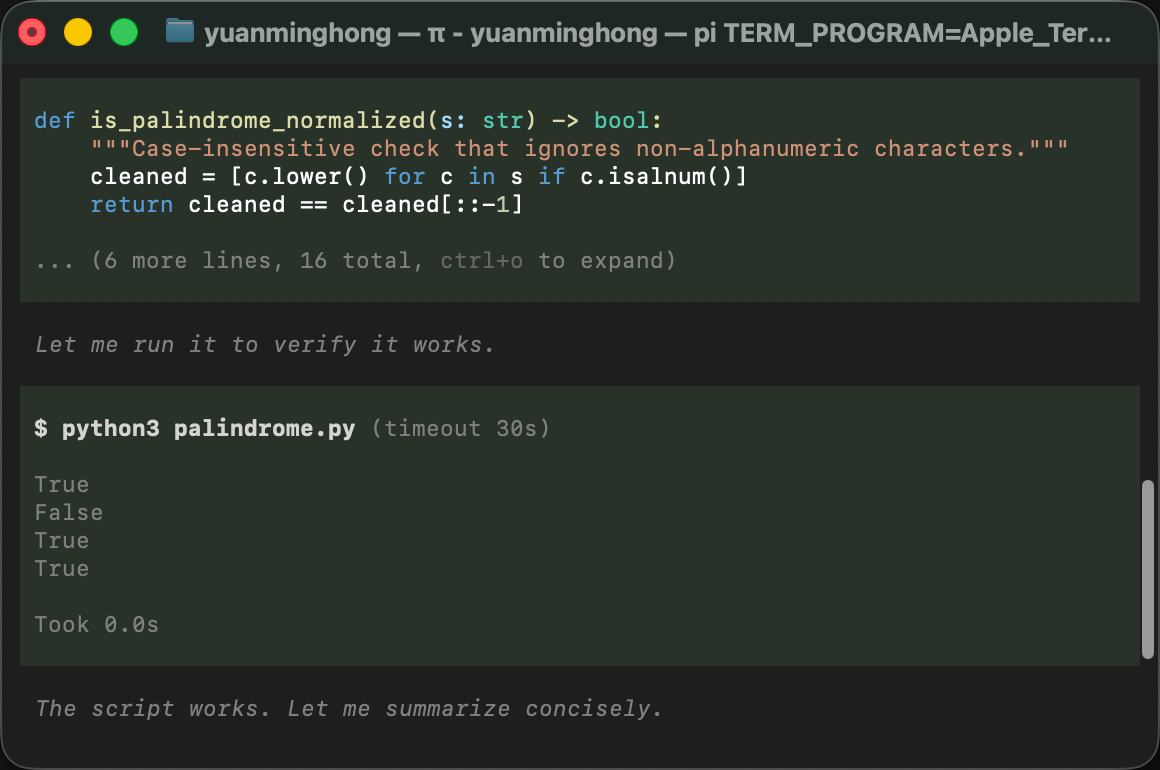
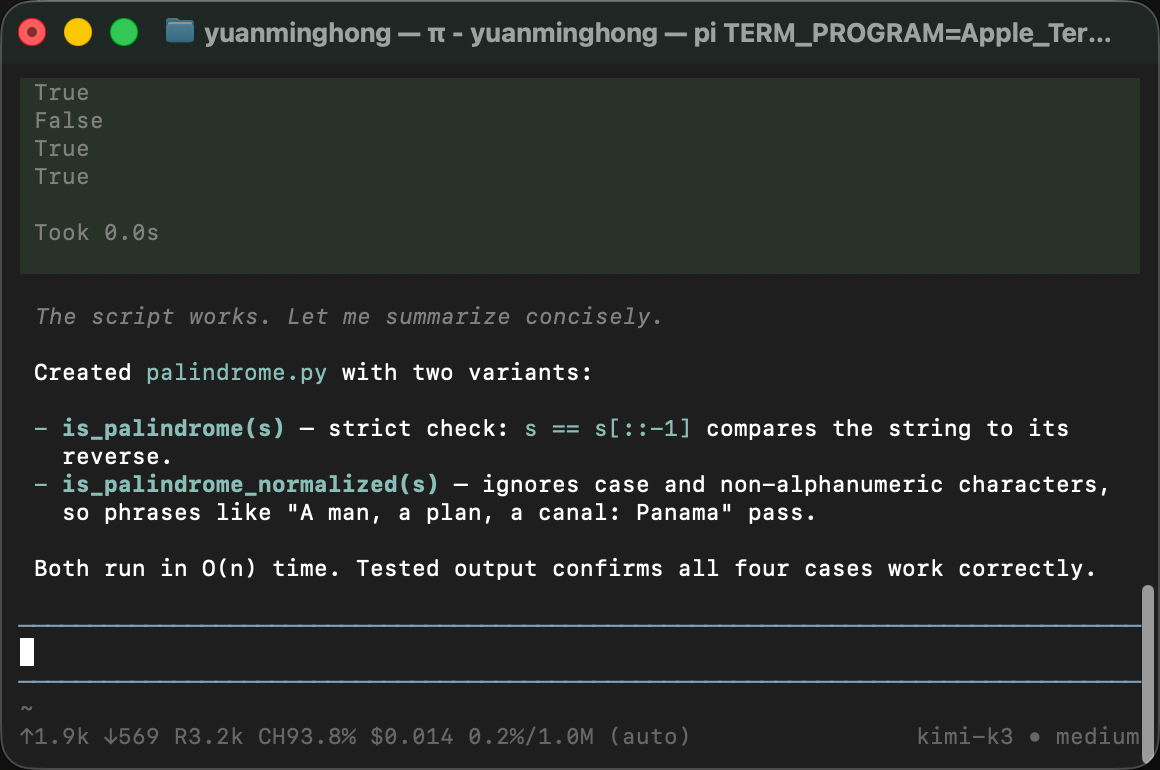
A follow-up screenshot question ("what is in this picture?", ~7.7k input tokens with the image) brought total session spend to $0.037. The whole test suite costs about four cents — the $0.50 trial credit covers it ten times over.
Troubleshooting
"pi --version" shows 0.74.x right after install — why?
Your Node is older than 22.19, so npm silently resolved the legacy-node20 line (0.74.x) — no error, no warning. Upgrade Node (nodejs.org LTS), then reinstall, or pin explicitly with npm install -g @earendil-works/pi-coding-agent@latest. Details in Step 1, gotcha 1.
First run hangs on "fd not found. Downloading..." — why?
pi downloads its fd and ripgrep helpers from GitHub releases on first launch, and the status line may never refresh even after the files land. Ctrl+C and relaunch; ls ~/.pi/agent/bin/ confirms both binaries are in place.
"command not found: pi" after install — why?
Your npm global bin directory isn't on your shell's PATH. Check that the output of npm bin -g appears in your PATH — and that you edited the startup file your shell actually reads (echo $0; on our machine it was bash, not zsh).
kimi-k3 doesn't appear in /model — why?
Almost always a JSON syntax error in models.json. Validate with python3 -m json.tool < ~/.pi/agent/models.json, fix what it flags, and reopen the picker — pi re-reads the file every time you open /model.
Config edits don't seem to take effect — why?
Not a bug: pi re-reads models.json when you open the /model picker, so just reopen it. No restart needed.
Older tutorials say @mariozechner/pi-coding-agent — is that still right?
No. That package scope is deprecated and frozen at 0.73.1. Install @earendil-works/pi-coding-agent — the project moved from badlogic/pi-mono to earendil-works/pi.
Rolling out to a team
pi's user-level config makes per-developer setup trivial, and the account side carries the team mechanics: one prepaid balance as a hard ceiling on the whole team's spend, one named key per developer with its own dollar cap and optional expiry, and usage logs itemized per key so per-person cost attribution is the default view, not a spreadsheet project. There are no seat fees: adding a teammate costs exactly their token usage. The full walkthrough is in One endpoint, one bill.
Pricing
Per 1M tokens, as of September 2026 (current rates always on the pricing page):
| Wallaby (promotional) | Official list | |
|---|---|---|
| Input | $2.70 | $3.00 |
| Cached input | $0.27 | $0.30 |
| Output | $13.50 | $15.00 |
The $0.50 trial credit covers this entire guide many times over.
If you prefer a zero-config path over editing one JSON file, the OpenCode route pulls the same model from a synced catalog with a single environment variable — see Kimi K3 in OpenCode.
Your code, your business
Three commitments, verbatim from our privacy policy: No content logs. No training on your data. No usage reports built from your traffic. Usage lines record token counts, costs, and timing — never prompts, never completions.
Reliability you can verify
We operate a public status page so you can verify availability independently before troubleshooting your own setup. Our terms are written in plain language and publicly accessible. Wallaby Token is a registered Australian company with an ABN on file, and we run our own development workloads through the same gateway we sell — the calls behind our guides ran on it.
Get started
Create an account at wallabytoken.com, mint a key, paste one JSON block, export one variable. pi's whole philosophy is that your tools belong to you — this is the one provider setup that actually respects that.