OpenHands routes every model call through LiteLLM, so any OpenAI-compatible endpoint works — including kimi-k3, Moonshot AI's open-weight reasoning model. The entire setup is one saved LLM profile with three fields:
Custom Model:  openai/kimi-k3
Base URL:      https://api.wallabytoken.com/v1
API Key:       your Wallaby Token key
Everything below is the five-minute version: install, profile, verification. Disclosure: Wallaby Token sells API access to kimi-k3, and the endpoint shown here is ours. Tested on 2026-09-23 against the current OpenHands build (agent-server 1.36.0) — the UI changed significantly in recent releases, so the steps below follow the new profile-based settings, not the old "Advanced toggle" layout you may see in older guides.
What you need
- A Wallaby Token API key (create an account at wallabytoken.com; new accounts receive $0.50 in free credit)
- OpenHands running locally. Docker Desktop must be up — the agent executes tasks inside a sandboxed container, which is exactly where you want an autonomous agent. Then, per the official local setup:
uv tool install openhands --python 3.12
openhands serve
openhands serve checks Docker, pulls what it needs, and serves the UI at http://localhost:3000. First launch also pulls the agent-server image (about 5.5 GB) — that download is a one-time cost, so give it a few minutes.
Setting this up for a team? One account is enough — see the Rolling out to a team section at the end.
Setup: one LLM profile
- Open
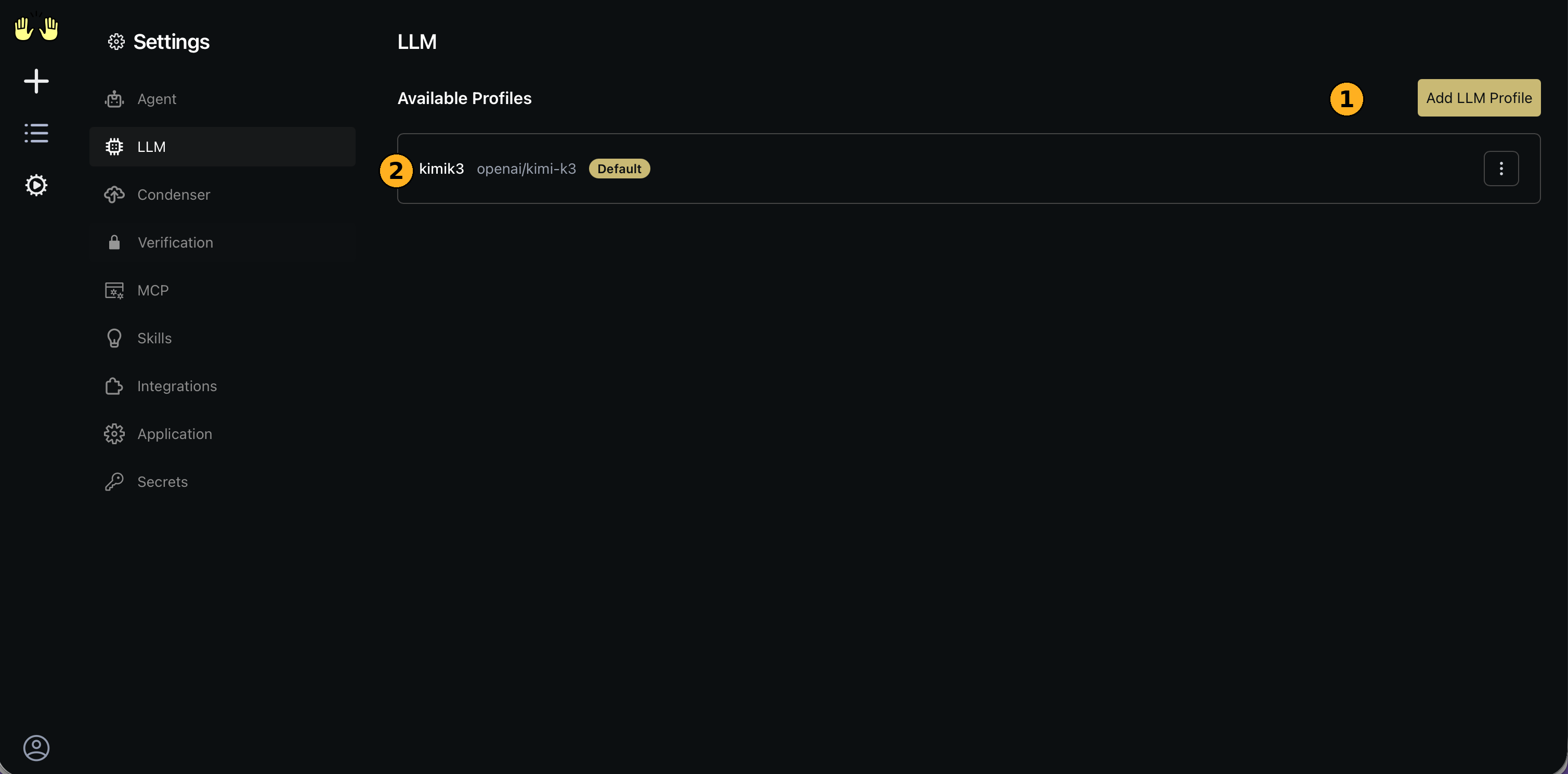
http://localhost:3000, click the gear icon for Settings → LLM, then Add LLM Profile.
-
Fill in the fields:
- Name (optional): anything recognizable, e.g.
kimik3 - Custom Model:
openai/kimi-k3— theopenai/prefix tells LiteLLM to use the OpenAI-compatible request format; the part after the slash must be exactlykimi-k3 - Base URL:
https://api.wallabytoken.com/v1 - API Key: your Wallaby key (shown as
<hidden>once saved)
- Name (optional): anything recognizable, e.g.
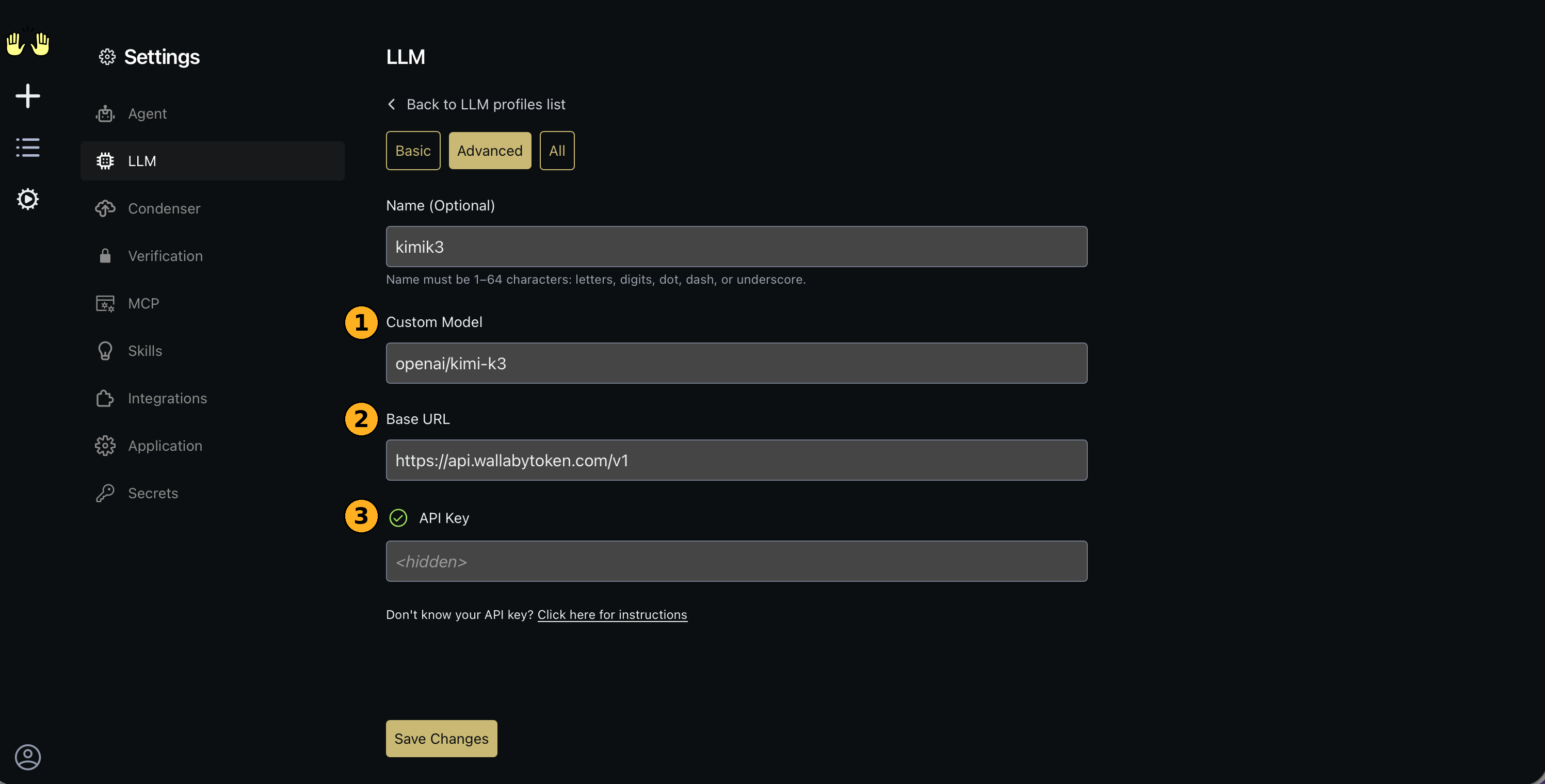
- Save Changes. The profile appears in the list with a Default badge and is used by every new conversation. Profiles persist in
~/.openhands, so this survives restarts and is shared with the CLI — the GUI documentation confirmsserveuses the same configuration directory as CLI mode.
One deployment note: configure through the UI profile, not config files — file-based config.toml settings only apply when running OpenHands from source, and container installs ignore them.
Verify end to end
Start a new conversation (this matters — see the first troubleshooting entry) and send a minimal prompt:
Write a Python function that checks whether a string is a palindrome, then explain the time complexity.
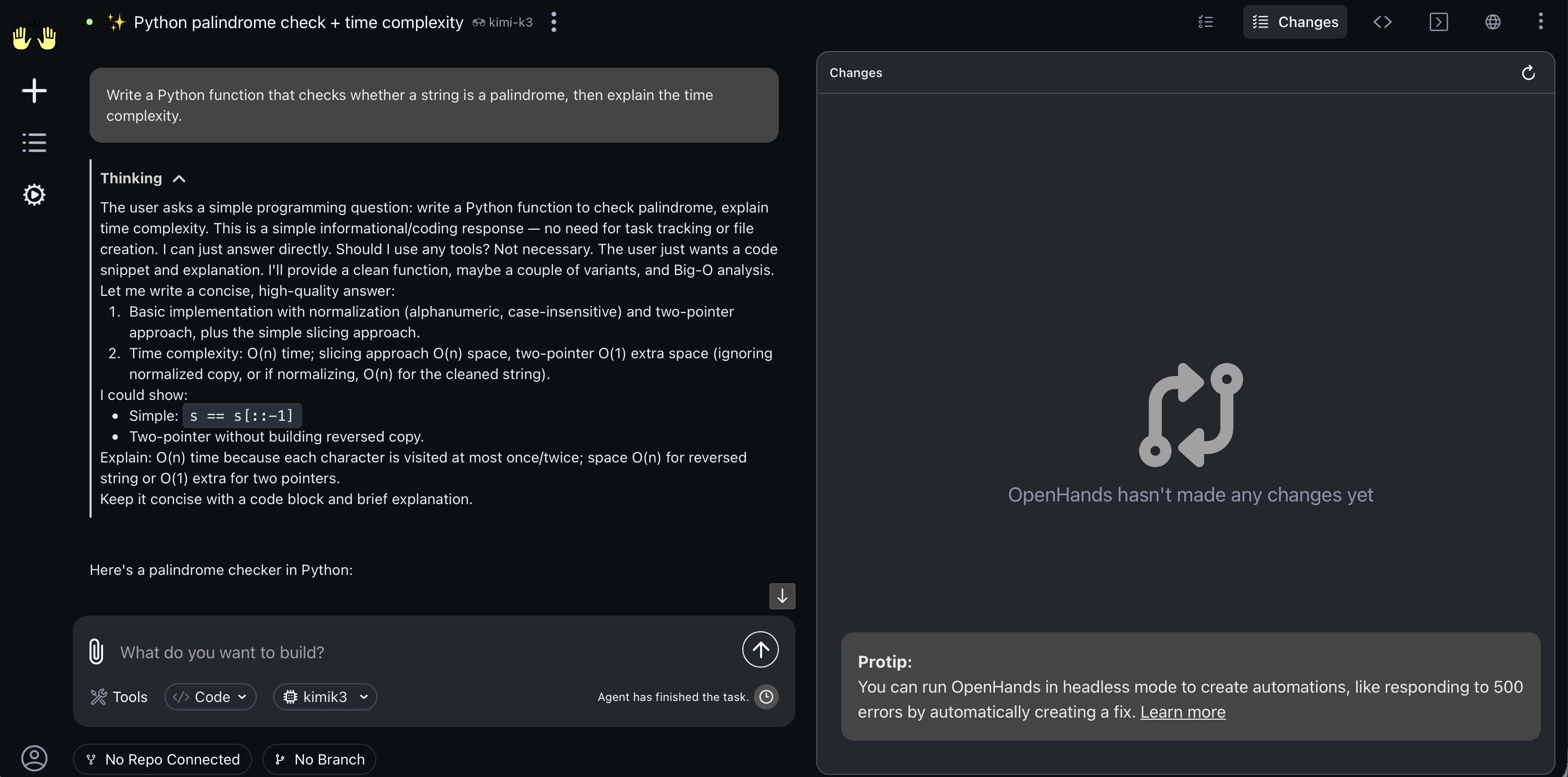
What a healthy run looks like: a Thinking block appears first — kimi-k3 is a reasoning model, so a visible reasoning phase is expected behavior, not a stall — followed by the answer, and finally "Agent has finished the task."
Then check the billing side: your Wallaby console's Common Logs show itemized consume lines within seconds of each call. Our verification run produced three requests, the largest at 16,685 input + 803 output tokens for $0.0559 — the whole guide cost under six cents.
Troubleshooting
Only issues we actually hit, verbatim.
"Settings saved. For old conversations, you will need to stop and restart the conversation to see the changes."
This toast means exactly what it says: LLM profile changes do not apply to conversations that already exist. Stop the current conversation and start a new one after saving your profile.
First conversation stalls at "Running task" — why?
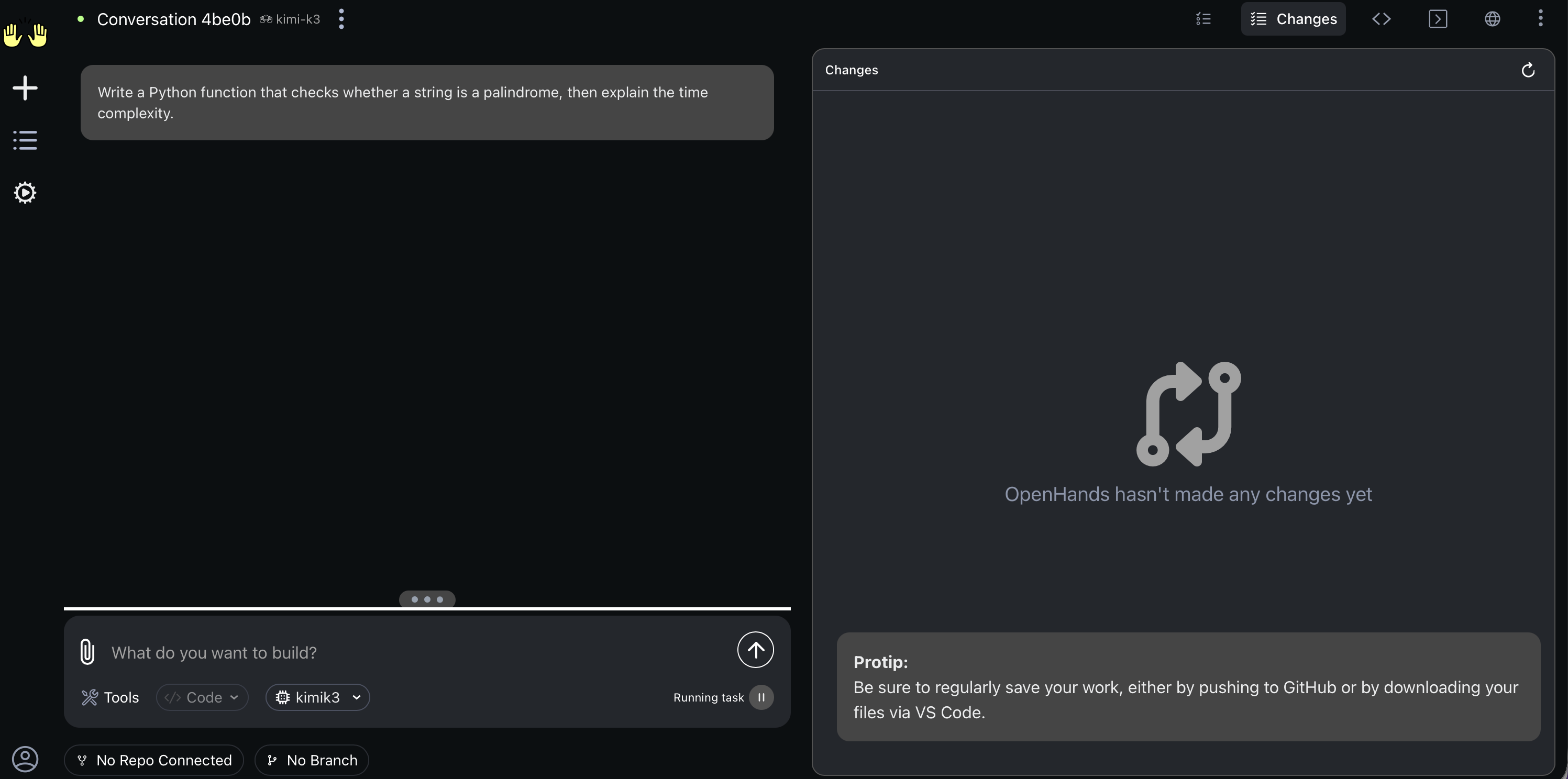
A quirk of the current build: the first conversation can sit at "Running task" / "Waiting for task" with no visible output while the model call actually succeeds in the background — the event channel between the agent sandbox and the UI gets rate-limited, so nothing renders. Fix: stop the conversation and start a fresh one; the second conversation runs normally. If you want independent proof the call went through, your Wallaby console shows the charge regardless of what the UI did.
Conversation Metrics shows $0.0000 — is it free?
No. OpenHands computes cost from LiteLLM's built-in price map, which has no entry for kimi-k3, so it reports zero. The real, itemized cost is in your Wallaby console's Common Logs.
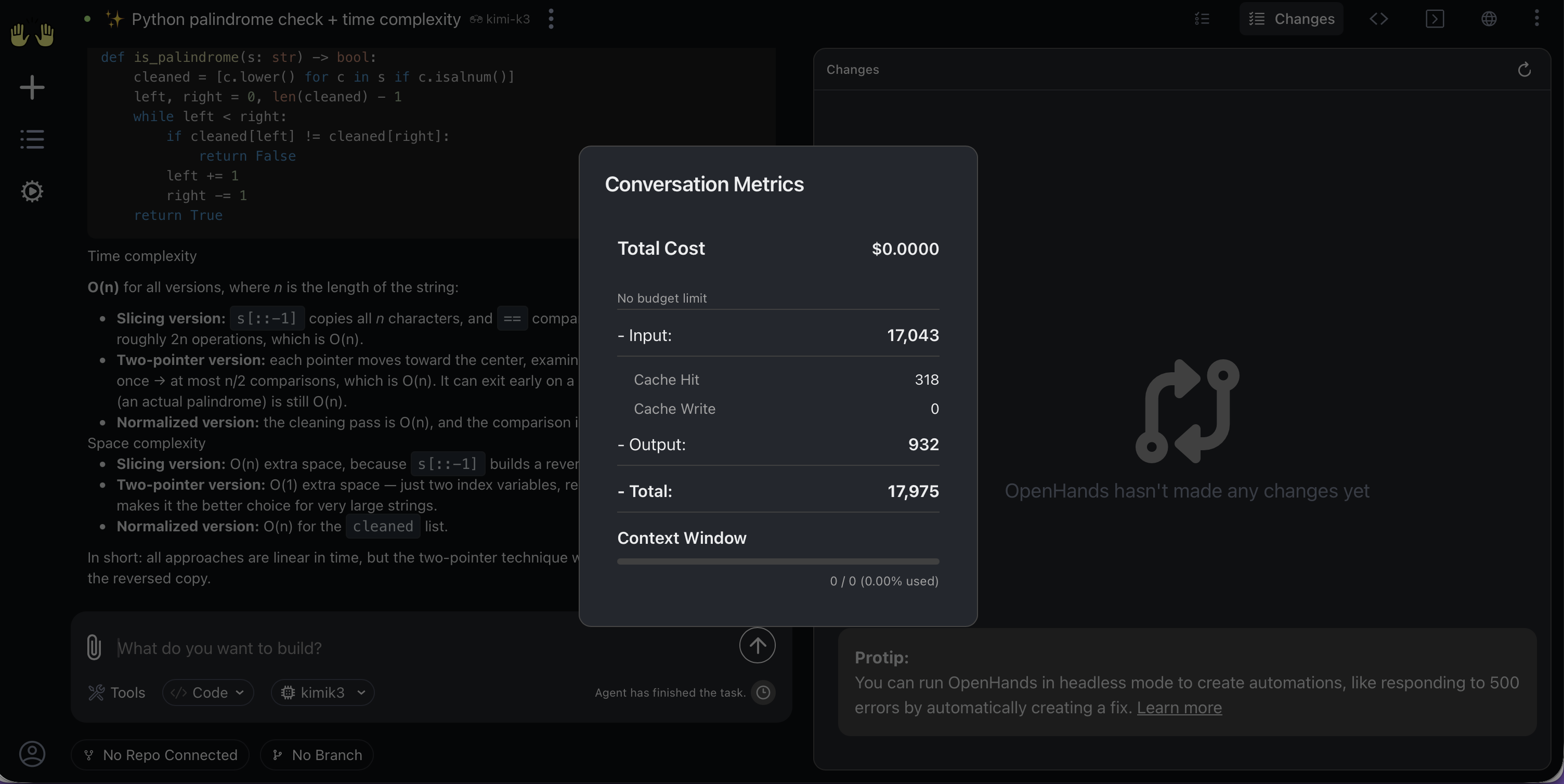
The first response is slow — is something stuck?
Probably not. OpenHands prepends a large system prompt — our first turn sent about 17,000 input tokens — and kimi-k3 then spends visible time reasoning before answering. Subsequent turns reuse cached input (billed at the cheaper cached-input rate) and feel noticeably faster.
Clicking "Automations" crashed the UI — did I break something?
No. In this build, opening the Automations section throws a generic frontend error page ("An error occurred / Uh oh, an unknown error occurred!"). Your configuration is fine — reload the page or open http://localhost:3000 directly and everything is back. Avoid that menu entry until OpenHands ships a fix.
Rolling out to a team
Each developer runs their own local OpenHands, and the account side carries the team mechanics: one prepaid balance as a hard ceiling on the whole team's spend, one named key per developer with its own dollar cap and optional expiry, and usage logs itemized per key so per-person cost attribution is the default view, not a spreadsheet project. There are no seat fees: adding a teammate costs exactly their token usage. The full walkthrough is in One endpoint, one bill.
Pricing
Per 1M tokens, as of September 2026 (current rates always on the pricing page):
| Wallaby (promotional) | Official list | |
|---|---|---|
| Input | $2.70 | $3.00 |
| Cached input | $0.27 | $0.30 |
| Output | $13.50 | $15.00 |
The $0.50 trial credit covers this entire guide many times over — our full verification run cost under $0.06. If you prefer working inside your editor over a standalone agent UI, the same endpoint works from VS Code with Cline — see Kimi K3 in Cline.
Your code, your business
Three commitments, verbatim from our privacy policy: No content logs. No training on your data. No usage reports built from your traffic. Usage lines record token counts, costs, and timing — never prompts, never completions.
Reliability you can verify
We operate a public status page so you can verify availability independently before troubleshooting your own setup. Our terms are written in plain language and publicly accessible. Wallaby Token is a registered Australian company with an ABN on file, and we run our own development workloads through the same gateway we sell — the calls behind this guide ran on it.
Get started
Create an account at wallabytoken.com, mint a key, save one LLM profile. Five minutes now, and every future conversation just works.